
- Posts: 116
- Thank you received: 2
Kunena 7.0.5 & Kunena 6.4.11 – Security Updates Released
The Kunena team has announce the arrival of Kunena 7.0.5 [K 7.0.5] in stable which is now available for download as a native Joomla extension for J! 5.4.x/6.0.x. This version addresses most of the issues that were discovered in K 6.2 / K 6.3 / K 6.4 and issues discovered during the last development stages of K 7.0.
The Kunena team is also pleased to announce the eleventh version of Kunena 6.4, a native Joomla extension for Joomla! 5.0, 5.1, 5.2, 5.3, 5.4 and 6.0.
Topics that are moved into this category are generally considered to be closed. Users may want to add additional information but these topics should not be resurrected in order to discuss new problems or unrelated matters.
Solved Resizing avatar gallery images (200px)
- afterburner
-
 Topic Author
- Offline
- Senior Member
-

Less
More
12 years 4 months ago #152194
by afterburner
Resizing avatar gallery images (200px) was created by afterburner
I upload an avatar.
profile img looks great
but in the post image quality is lost.
why ?
I think it is because of resizing
profile img looks great
but in the post image quality is lost.
why ?
I think it is because of resizing
Please Log in or Create an account to join the conversation.
- afterburner
-
Topic Author
- Offline
- Senior Member
-
Less
More
- Posts: 116
- Thank you received: 2
12 years 4 months ago #152195
by afterburner
Replied by afterburner on topic Resizing avatar gallery images (200px)
ok , i find out - resize quality up to 100% .
but there is a caveat, i use avatars 160 x 160px in my posts .
Forum loads them with a resolution of 144 by 144 ,
how to make them to be in the folder - size200 ?
but there is a caveat, i use avatars 160 x 160px in my posts .
Forum loads them with a resolution of 144 by 144 ,
how to make them to be in the folder - size200 ?
Please Log in or Create an account to join the conversation.


12 years 4 months ago #152197
by sozzled

Blue Eagle vs. Crypsis reference guide
Read my blog and

Replied by sozzled on topic Resizing avatar gallery images (200px)
I' sorry but I do not understand the question. What "folder" do you mean? Does this "size200" folder exist? Perhaps I am not the best person to try to answer this question.afterburner wrote: How to make them to be in the folder - size200 ?
Blue Eagle vs. Crypsis reference guide
Read my blog and
Please Log in or Create an account to join the conversation.
- afterburner
-
Topic Author
- Offline
- Senior Member
-
Less
More
- Posts: 116
- Thank you received: 2
12 years 4 months ago #152198
by afterburner
Replied by afterburner on topic Resizing avatar gallery images (200px)
avatars downloaded from different folders, but and I need one of (200x200)


Please Log in or Create an account to join the conversation.
12 years 4 months ago - 12 years 4 months ago #152199
by sozzled
Blue Eagle vs. Crypsis reference guide
Read my blog and
Replied by sozzled on topic Resizing avatar gallery images (200px)
I am still not sure I understand the question. Your question has something to do with the Kunena avatar gallery. I will spend a few minutes looking for information about the "size200" folder that you want - I don't think I will find any answers - but I suggest (while you are waiting) that you read
Avatar gallery
in the Wiki to see if there is information there about your question.
I do not know how these "resized" gallery folders work. Perhaps some other member of the community can explain how these resized gallery folders work. If we know more about how these things work then, perhaps, we can better document the feature so that everyone knows more.
I do not know how these "resized" gallery folders work. Perhaps some other member of the community can explain how these resized gallery folders work. If we know more about how these things work then, perhaps, we can better document the feature so that everyone knows more.
Blue Eagle vs. Crypsis reference guide
Read my blog and
Last edit: 12 years 4 months ago by sozzled.
Please Log in or Create an account to join the conversation.
- afterburner
-
Topic Author
- Offline
- Senior Member
-
Less
More
- Posts: 116
- Thank you received: 2
12 years 4 months ago #152200
by afterburner
Replied by afterburner on topic Resizing avatar gallery images (200px)
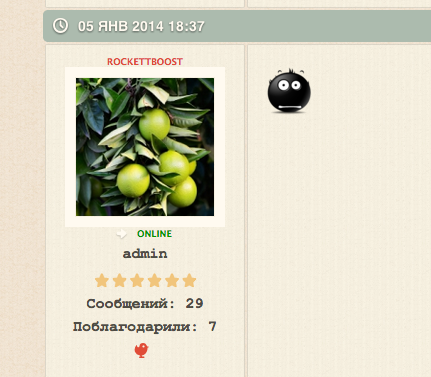
I do not understand why the avatars of varying quality?
the first image from profile, (resize200 folder)
second from post (resize144 folder)
the first image from profile, (resize200 folder)
second from post (resize144 folder)

Please Log in or Create an account to join the conversation.
Time to create page: 0.237 seconds