
Kunena 7.0.9 & Kunena 6.4.14 – Security Updates Released
The Kunena team has announce the arrival of Kunena 7.0.9 [K 7.0.9] in stable which is now available for download as a native Joomla extension for J! 5.4.x/6.0.x./6.1.x. This version addresses most of the issues that were discovered in K 6.2 / K 6.3 / K 6.4 and issues discovered during the last development stages of K 7.0
Solved Custom icons for categories
- romagromov
-
 Topic Author
- Offline
- Senior Member
-

Blue Eagle template and my template has no Less files.
I added this code in custom.css from my template - but it didn't help.
Download Free Software for Windows absolutly free.
Please Log in or Create an account to join the conversation.


That's right. The setting that you showed in msg #1 of this topic only applies to Crypsis. This issue is discussed in more depth in the topic Category icon in Kunena 4 and, in spite of what you may read in that topic, the issue is not yet solved.romagromov wrote: Blue Eagle template and my template has no LESS files
As I wrote in another topic ,
sozzled wrote: I am not surprised (given the lack of useful, understandable, user documentation) that you do not know how to change topic icons and category icons in K 4.0. Indeed, I was in the same situation as you (and I still haven't completely figured out the solution, either).
What is now becoming apparent to me, as I read about problems that people are having with K 4.0, is most people who use K 4.0 are still using Blue Eagle (or templates derived from Blue Eagle) because they are not enthusiastic about Crypsis. I think the developers should start taking notice of these issues and listen carefully to the concerns that people in the community are having.
Returning to the subject of this topic, you cannot create custom category icons in K 4.0 (Blue Eagle variant) with CSS.
Blue Eagle vs. Crypsis reference guide
Read my blog and

Please Log in or Create an account to join the conversation.


romagromov wrote: Only Crypsis template have less.
Blue Eagle template and my template has no Less files.
I added this code in custom.css from my template - but it didn't help.
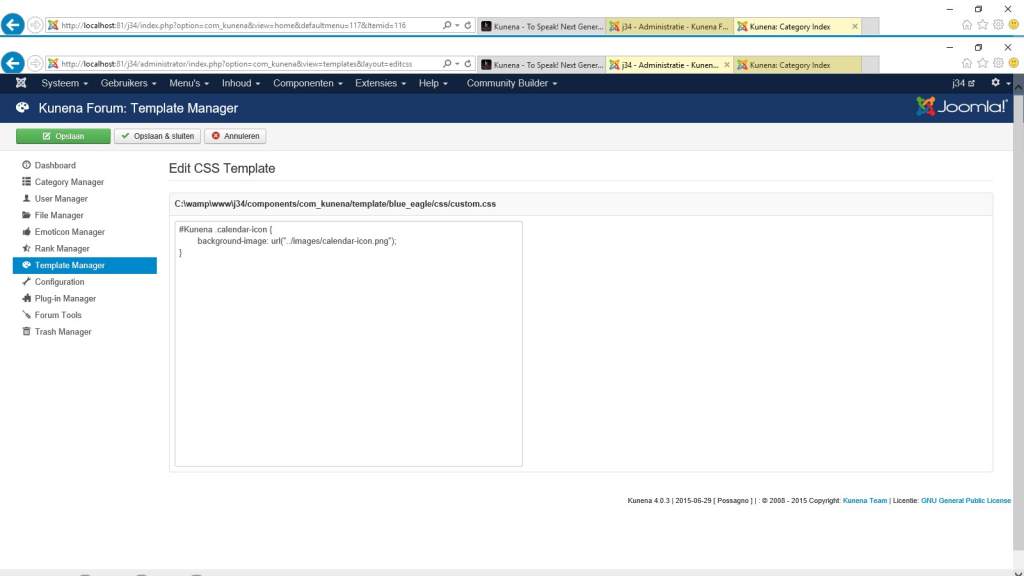
Ok, then do:
Backend - kunena - template manager - select template - edit css
And save the css on custom.css
Please Log in or Create an account to join the conversation.
sozzled wrote:
That's right. The setting that you showed in msg #1 of this topic only applies to Crypsis. This issue is discussed in more depth in the topic Category icon in Kunena 4 and, in spite of what you may read in that topic, the issue is not yet solved.romagromov wrote: Blue Eagle template and my template has no LESS files
As I wrote in another topic ,
sozzled wrote: I am not surprised (given the lack of useful, understandable, user documentation) that you do not know how to change topic icons and category icons in K 4.0. Indeed, I was in the same situation as you (and I still haven't completely figured out the solution, either).
What is now becoming apparent to me, as I read about problems that people are having with K 4.0, is most people who use K 4.0 are still using Blue Eagle (or templates derived from Blue Eagle) because they are not enthusiastic about Crypsis. I think the developers should start taking notice of these issues and listen carefully to the concerns that people in the community are having.
Returning to the subject of this topic, you cannot create custom category icons in K 4.0 (Blue Eagle variant) with CSS.
Please Michael,
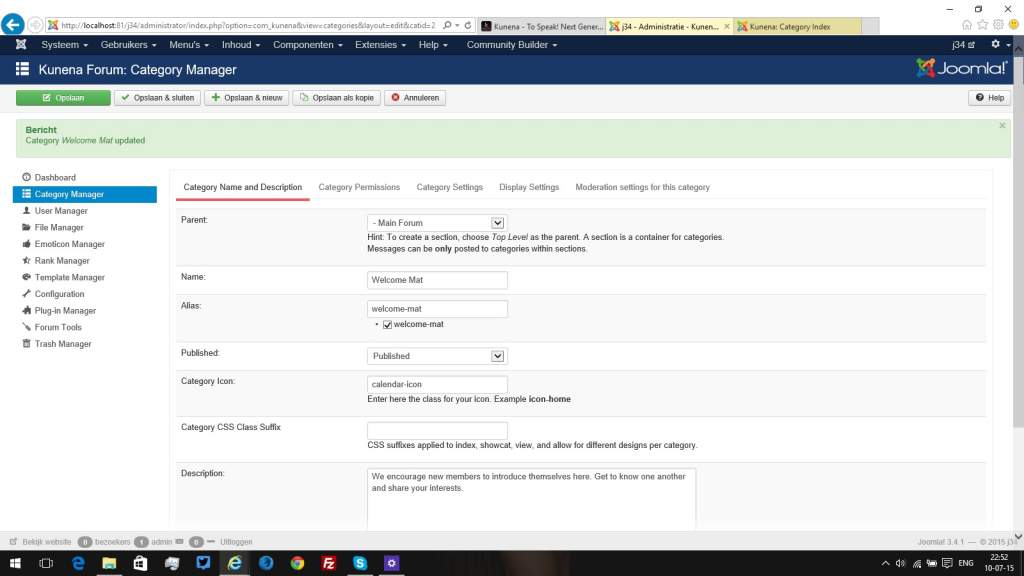
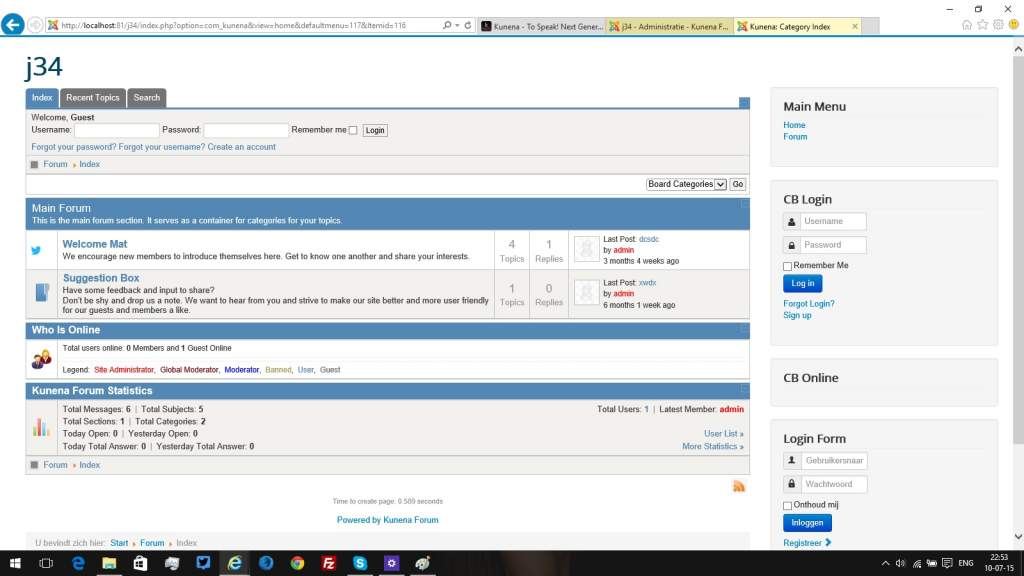
Don't give wrong information:
See:
Please Log in or Create an account to join the conversation.
This is not entirely true. It is not "simply" a matter of replacing those files as the evidence (and questions asked by members of this community) has convincingly demonstrated. The main point that I have been consistently making (about category and topic icons) is that there is an absence of useful, understandable user documentation on this matter.Changing category icons in K 4.0 is simply a matter of replacing any or all of the files referred to below:
../components/com_kunena/template/blue_eagle/images/icons/folder.png
../components/com_kunena/template/blue_eagle/images/icons/folder_nonew.png
../components/com_kunena/template/blue_eagle/images/icons/folder_sm.png
../components/com_kunena/template/blue_eagle/images/icons/folder_nonew_sm.png
Blue Eagle vs. Crypsis reference guide
Read my blog and
Please Log in or Create an account to join the conversation.
- romagromov
-
Topic Author
- Offline
- Senior Member
-
Method with custom.css works fine.
But I still can't understand why it so difficult... :blink:
Why webmasters can't simply upload icons when they creating categories in admin panel... :huh:
It would be easy and convenient, more importantly it saves a lot of time.

Download Free Software for Windows absolutly free.
Please Log in or Create an account to join the conversation.