
- Posts: 19
- Thank you received: 0
Kunena 7.0.9 & Kunena 6.4.14 – Security Updates Released
The Kunena team has announce the arrival of Kunena 7.0.9 [K 7.0.9] in stable which is now available for download as a native Joomla extension for J! 5.4.x/6.0.x./6.1.x. This version addresses most of the issues that were discovered in K 6.2 / K 6.3 / K 6.4 and issues discovered during the last development stages of K 7.0
Topics must relate to a currently supported version of Kunena. If you are unsure what is the current supported version of Kunena, please go to the
download
page.
If you are having problems then, for your own benefit, it would save us all a lot of time if you would kindly post your configuration report when you ask for help from this forum. If you do not post your configuration report we will not ask you for it but you will probably not get your problem solved, either.
If you are having problems then, for your own benefit, it would save us all a lot of time if you would kindly post your configuration report when you ask for help from this forum. If you do not post your configuration report we will not ask you for it but you will probably not get your problem solved, either.
Question Kunena not functioning
- dagroupinc
-
 Topic Author
- Offline
- Junior Member
-

Less
More
6 months 3 days ago - 6 months 3 days ago #234853
by dagroupinc
Kunena not functioning was created by dagroupinc
We've built out our discussion forum and have a lot of issues:
1) When a new user creates a new account, they don't receive their confirmation email.
2) On the Create an Account form in Kunena, the birthdate field is shown as requiring YYYY-MM-DD, but the 'Date Picker' in Kunena Config is set to mm/dd/yyyy
3) If an admin authenticates the account and the user logs in, the entire site freezes and defaults to the home page. None of the nav links work unless you clear browser cache and cookies, then the Joomla site appears to work properly, except . . .
4) Kunena then shows user logged in (at the bottom) but the 'log in' dropdown still asks them to log in (verified that they're activated) and they don't have posting privs.
5) Additionally, if I get back to the 'forum' it shows a number of 'guest' online. If I refresh the browser, it increases the number of 'guests' by 18 each time i do so — I'm currently up to 273 guests which I know is not true.
6) I have tried this with both our template (NTS Kay v6.3.0) and the Kunena template (Aurelia v6.4.9) with the same results
7) When I run Kunena Diagnostics, everything passes.
I've asked for help from Kunena but get no response. Does anyone have thoughts on where and how to begin fixing this?
Joomla v5.4.3
PHP v8.3.30
Kunena v6.4.9
Template: NTS Kay v6.3.0
Configuration Report
- - - - - - - - - - -
1) When a new user creates a new account, they don't receive their confirmation email.
2) On the Create an Account form in Kunena, the birthdate field is shown as requiring YYYY-MM-DD, but the 'Date Picker' in Kunena Config is set to mm/dd/yyyy
3) If an admin authenticates the account and the user logs in, the entire site freezes and defaults to the home page. None of the nav links work unless you clear browser cache and cookies, then the Joomla site appears to work properly, except . . .
4) Kunena then shows user logged in (at the bottom) but the 'log in' dropdown still asks them to log in (verified that they're activated) and they don't have posting privs.
5) Additionally, if I get back to the 'forum' it shows a number of 'guest' online. If I refresh the browser, it increases the number of 'guests' by 18 each time i do so — I'm currently up to 273 guests which I know is not true.
6) I have tried this with both our template (NTS Kay v6.3.0) and the Kunena template (Aurelia v6.4.9) with the same results
7) When I run Kunena Diagnostics, everything passes.
I've asked for help from Kunena but get no response. Does anyone have thoughts on where and how to begin fixing this?
Joomla v5.4.3
PHP v8.3.30
Kunena v6.4.9
Template: NTS Kay v6.3.0
Configuration Report
- - - - - - - - - - -
This message contains confidential information
Database collation check: The collation of your table fields are correct
Joomla! SEF: Disabled | Joomla! SEF rewrite: Enabled | FTP layer: Disabled |
This message contains confidential informationhtaccess: Exists | PHP environment: Max execution time: 60 seconds | Max execution memory: 512M | Max file upload:
Kunena menu details:
Warning: Spoiler!
ID Name Menutype Link Path In trash 968 Forum kunenamenu view=home&defaultmenu=969 forum No 969 Index kunenamenu view=category&layout=list forum/index No 970 Recent Topics kunenamenu view=topics&mode=replies forum/recent No 971 Unread kunenamenu view=topics&layout=unread forum/unread No 972 New Topic kunenamenu view=topic&layout=create forum/newtopic No 973 No Replies kunenamenu view=topics&mode=noreplies forum/noreplies No 974 My Topics kunenamenu view=topics&layout=user&mode=default forum/mylatest No 975 Profile kunenamenu view=user forum/profile No 976 Help kunenamenu view=misc forum/help No 977 Search kunenamenu view=search forum/search No 978 Forum mainmenu Itemid=968 kunena-2025-04-26 Yes
Joomla default template details : shaper_helixultimate | author: JoomShaper.com | version: 2.2.4 | creationdate: Feb 2018
Kunena default template details : Aurelia | author: Kunena Team | version: 6.4.9 | creationdate: 2026-01-31
Kunena template params:
Warning: Spoiler!
DefaultCategoryicon profileIconset default DefaultIconset default editorIconset default bootstrap 1 borderless 1 tooltips 1 SubjectLengthMessage 80 fullactions 1 quick 0 displayMenu 1 displayDropdownMenu 1 displayDropdownContent 1 displayModule 1 displayBreadcrumb 0 displayAnnouncement 1 displayFooter 0 avatarPosition left formRecover 0 labels 0 whoisonlineName default avatarType rounded topicicontype svg fontawesome 1 socialshare 0 socialsharetag socialtheme classic optional_username 0 writeaccess 0 localstorage 0 IconColor inherit IconColorNew #48a348 editorType ckeditor Bold 1 Italic 1 Underline 1 Strike 1 Subscript 1 Superscript 1 RemoveFormat 1 BulletedList 1 NumberedList 1 Blockquote 1 JustifyLeft 1 JustifyCenter 1 JustifyRight 1 JustifyBlock 1 Link_Unlink 1 Image 1 Smiley 1 Confidential 1 Hidetext 1 Spoiler 1 Code 1 Ebay 1 1 1 Soundcloud 1 FontSize 1 TextColor 1 Maximize 1 Map 1 Video 1 editorButtons nameskinckeditor ckeditorcustomprefixconfigfile avatarSizeX 40 avatarSizeY 90 avatarSizeXThumb 36 avatarSizeYThumb 36 avatarSizeXWelcome 72 avatarSizeYWelcome 72 avatarSizeXList 36 avatarSizeYList 36 avatarSizeXPost 144 avatarSizeYPost 144 avatarSizeXProfile 200 avatarSizeYProfile 200 moduleIdWebauthn 0 X_Social 1 templatebyText templatebyName templatebyLink
Kunena version detailed: Kunena 6.4.9 | 2026-01-31 [ Git Repository ]
| Kunena detailed configuration:| Kunena integration settings:Warning: Spoiler!
Kunena config settings: boardOffline 0 enableRss 0 threadsPerPage 20 messagesPerPage 6 messagesPerPageSearch 15 showHistory 1 historyLimit 6 showNew 1 disableEmoticons 0 template aurelia showAnnouncement 1 avatarOnCategory 0 showChildCatIcon 0 rteWidth 450 rteHeight 300 enableForumJump 1 reportMsg 1 username 1 askEmail 1 showEmail 0 showUserStats 1 showKarma 1 userEdit 1 userEditTime 0 userEditTimeGrace 600 editMarkup 1 allowSubscriptions 1 subscriptionsChecked 1 allowFavorites 1 maxSig 300 regOnly 0 pubWrite 0 floodProtection 0 mailModerators 0 mailAdministrators 0 captcha 1 mailFull 1 allowAvatarUpload 1 allowAvatarGallery 1 avatarQuality 75 avatarSize 2048 imageHeight 800 imageWidth 800 imageSize 150 fileTypes txt,rtf,pdf,zip,tar.gz,tgz,tar.bz2 fileSize 120 showRanking 1 rankImages 1 userlistRows 30 userlistOnline 1 userlistAvatar 1 userlistPosts 1 userlistKarma 1 userlistEmail 0 userlistJoinDate 1 userlistLastVisitDate 1 userlistUserHits 1 latestCategory 0 showStats 1 showWhoIsOnline 1 showGenStats 1 showPopUserStats 1 popUserCount 5 showPopSubjectStats 1 popSubjectCount 5 showSpoilerTag 1 showVideoTag 1 showEbayTag 1 trimLongUrls 1 trimLongUrlsFront 40 trimLongUrlsBack 20 autoEmbedYoutube 1 autoEmbedEbay 1 ebayLanguageCode en-us sessionTimeOut 1800 highlightCode 0 rssType topic rssTimeLimit 1 month rssLimit 100 rssIncludedCategories rssExcludedCategories rssSpecification rss2.0 rssAllowHtml 1 rssAuthorFormat name rssAuthorInTitle 1 rssWordCount 0 rssOldTitles 1 rssCache 900 defaultPage recent defaultSort desc sef 1 showImgForGuest 1 showFileForGuest 1 pollNbOptions 4 pollAllowVoteOne 1 pollEnabled 1 popPollsCount 5 showPopPollStats 1 pollTimeBtVotes 00:15:00 pollNbVotesByUser 100 pollResultsUserslist 1 allowUserEditPoll 0 maxPersonalText 50 orderingSystem mesid postDateFormat ago postDateFormatHover datetime hideIp 1 imageTypes jpg,jpeg,gif,png checkMimeTypes 1 imageMimeTypes image/jpeg,image/jpg,image/gif,image/png imageQuality 50 thumbHeight 32 thumbWidth 32 hideUserProfileInfo put_empty boxGhostMessage 1 userDeleteMessage 0 latestCategoryIn 1 topicIcons 1 debug 0 catsAutoSubscribed 0 showBannedReason 0 showThankYou 1 showPopThankYouStats 1 popThanksCount 5 modSeeDeleted 0 bbcodeImgSecure text listCatShowModerators 1 lightbox 1 showListTime 720 showSessionType 2 showSessionStartTime 1800 userlistAllowed 0 userlistCountUsers 1 enableThreadedLayouts 0 categorySubscriptions post topicSubscriptions every pubProfile 0 thankYouMax 10 emailRecipientCount 0 emailRecipientPrivacy bcc captchaPostLimit 3 imageUpload registered fileUpload registered topicLayout flat timeToCreatePage 0 showImgFilesManageProfile 1 holdNewUsersPosts 0 holdGuestPosts 1 attachmentLimit 8 pickupCategory 0 articleDisplay intro sendEmails 1 fallbackEnglish 1 cache 1 cacheTime 60 ipTracking 1 rssFeedBurnerUrl autoLink 1 accessComponent 1 statsLinkAllowed 1 superAdminUserlist 0 attachmentProtection 0 categoryIcons 1 avatarCrop 0 userReport 1 searchTime 365 teaser 0 ebayLanguage 0 ebayCertId allowChangeSubject 1 maxLinks 6 readOnly 0 ratingEnabled 0 urlSubjectTopic 1 logModeration 0 attachStart 0 attachEnd 14 attachmentUtf8 1 autoEmbedSoundcloud 1 emailHeader media/kunena/email/hero-wide.png userStatus 1 signature 1 personal 1 plainEmail 0 moderatorPermDelete 0 avatarTypes gif,jpeg,jpg,png smartLinking 0 defaultAvatar nophoto.png defaultAvatarSmall s_nophoto.png quickReply 1 avatarEdit 0 activeMenuItem mainMenuId homeId indexId moderatorsId topicListId miscId profileId searchId custom_id avatarType 1 sefRedirect 1 allowEditPoll 1 useSystemEmails 0 autoEmbedInstagram 1 disableRe 0 email_sender_name Endeavour Owners Group display_filename_attachment 0 new_users_prevent_post_url_images 0 minimal_user_posts_add_url_image 10 utmSource 0 emailHeaderSizeY 560 emailHeaderSizeX 560 profiler 0 privateMessage 1 datePickerFormat mm/dd/yyyy sendMailUserBanned 0 mailBodyUserBanned mailBodyUserUnBanned | Joomla! detailed language files installed:Warning: Spoiler!Kunena - Finder Disabled
Kunena - Community Builder Disabled
Kunena - Easyblog Disabled
Kunena - Easyprofile Disabled
Kunena - Easysocial Disabled
Kunena - Gravatar Disabled
Kunena - JomSocial Disabled
Kunena - Joomla Enabled: access=1 login=1
Kunena - Kunena Enabled: avatar=1 profile=1
Kunena - UddeIm Disabled
Warning: Spoiler!
Joomla! languages installed: en-GB English (United Kingdom) en-US English (United States)
Third-party components: None
Third-party SEF components: None
Plugins: None
Modules: None
Last edit: 6 months 3 days ago by dagroupinc. Reason: more info
Please Log in or Create an account to join the conversation.


6 months 3 days ago #234854
by Gindi
Replied by Gindi on topic Kunena not functioning
In the Kunena menu details, the mainmenu is displayed in trash.
Please Log in or Create an account to join the conversation.
- dagroupinc
-
Topic Author
- Offline
- Junior Member
-
Less
More
- Posts: 19
- Thank you received: 0
5 months 3 weeks ago - 5 months 3 weeks ago #234887
by dagroupinc
Replied by dagroupinc on topic Kunena not functioning
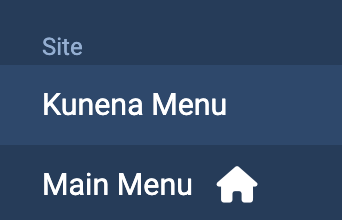
As far as I can tell the Kunena Menu is active and my Joomla Menu item is an alias that points to the Kunena menu. Still have all the above issues.
Last edit: 5 months 3 weeks ago by dagroupinc. Reason: typo
Please Log in or Create an account to join the conversation.


Less
More
- Posts: 12291
- Thank you received: 2538
5 months 3 weeks ago #234888
by rich
Important! Always create a backup before you make any changes to your website!
Replied by rich on topic Kunena not functioning
It’s difficult to pinpoint the cause of this error, especially since no one else has encountered or reported this issue.
This suggests that the problem may be related to your website. Have you installed any extensions or scripts that aren’t commonly used? If so, try disabling them to see if that resolves the issue.
You can also try upgrading to Kunena 7.0.3 after backing up your website.
This suggests that the problem may be related to your website. Have you installed any extensions or scripts that aren’t commonly used? If so, try disabling them to see if that resolves the issue.
You can also try upgrading to Kunena 7.0.3 after backing up your website.
Important! Always create a backup before you make any changes to your website!
Please Log in or Create an account to join the conversation.
Time to create page: 1.013 seconds