


- Posts: 3
- Thank you received: 0
Kunena 7.0.9 & Kunena 6.4.14 – Security Updates Released
The Kunena team has announce the arrival of Kunena 7.0.9 [K 7.0.9] in stable which is now available for download as a native Joomla extension for J! 5.4.x/6.0.x./6.1.x. This version addresses most of the issues that were discovered in K 6.2 / K 6.3 / K 6.4 and issues discovered during the last development stages of K 7.0
Topics must relate to a currently supported version of Kunena. If you are unsure what is the current supported version of Kunena, please go to the
download
page.
If you are having problems then, for your own benefit, it would save us all a lot of time if you would kindly post your configuration report when you ask for help from this forum. If you do not post your configuration report we will not ask you for it but you will probably not get your problem solved, either.
If you are having problems then, for your own benefit, it would save us all a lot of time if you would kindly post your configuration report when you ask for help from this forum. If you do not post your configuration report we will not ask you for it but you will probably not get your problem solved, either.
Question Can't access "New Topic" Menu. Error 403.
4 years 1 month ago - 4 years 1 month ago #224398
by g7website
Can't access "New Topic" Menu. Error 403. was created by g7website
Hi
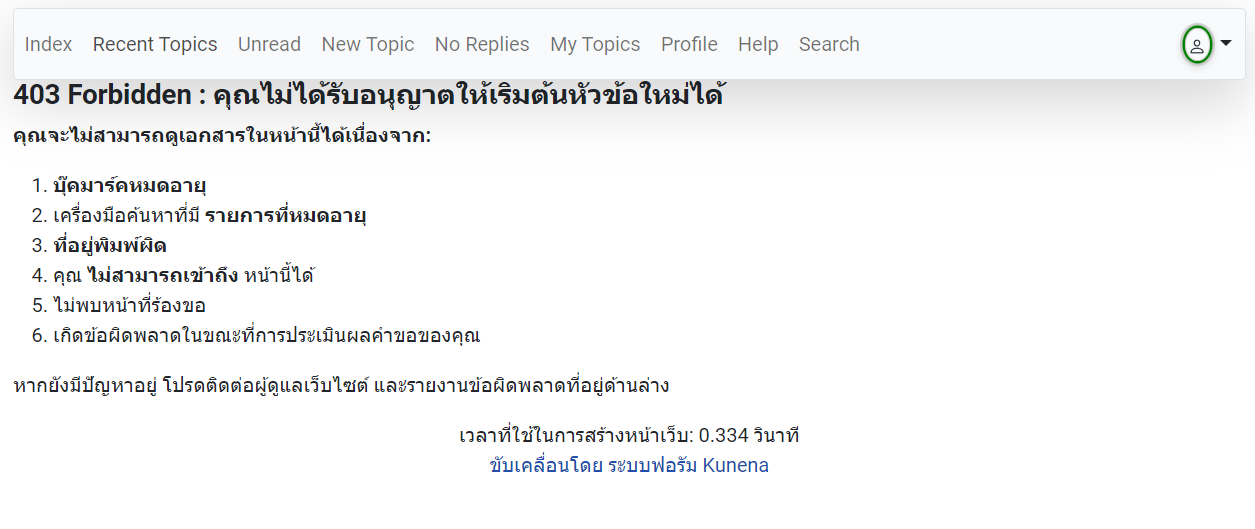
I can't access "New Topic" menu on the frontend, it shows error 403.
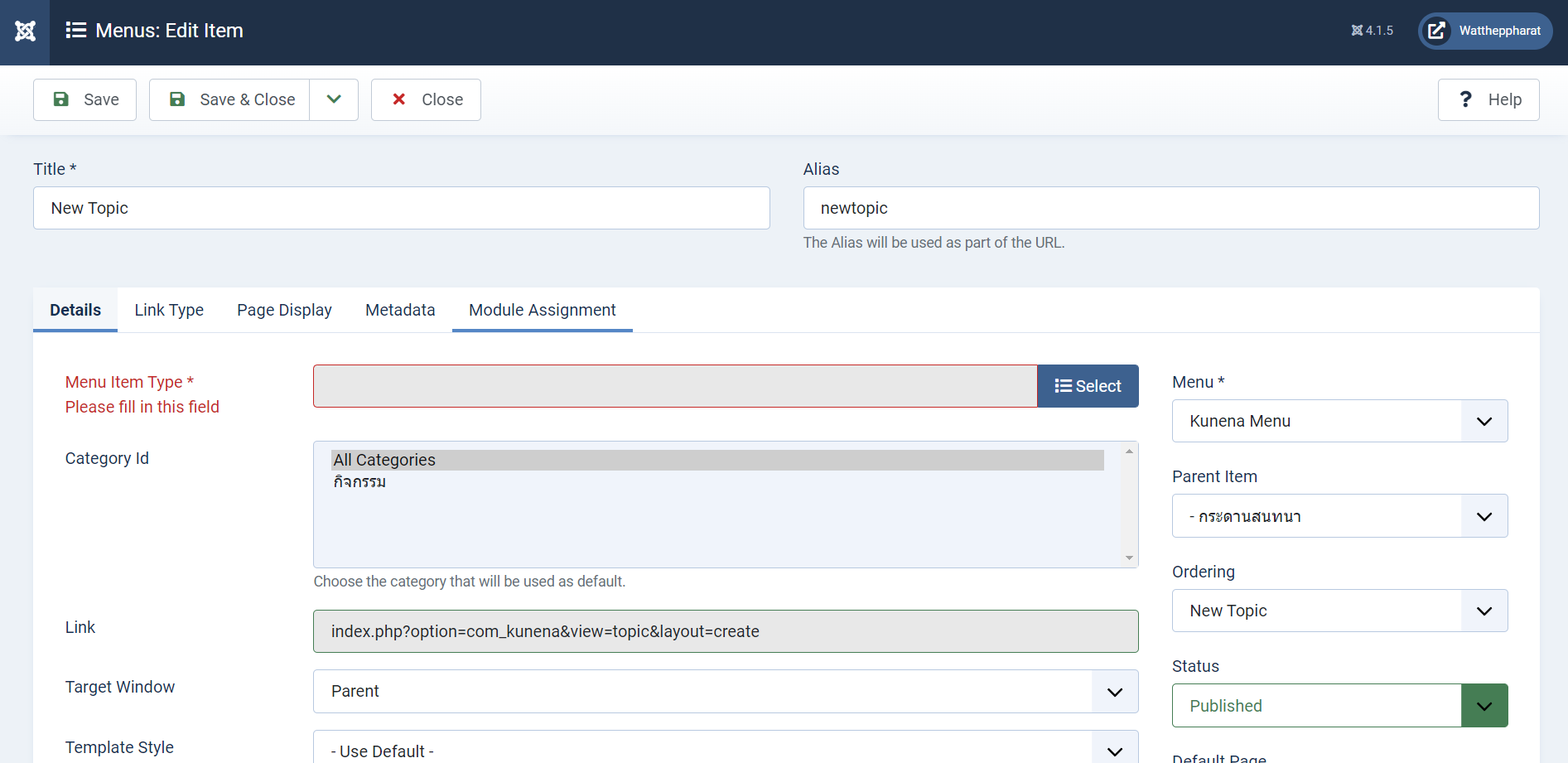
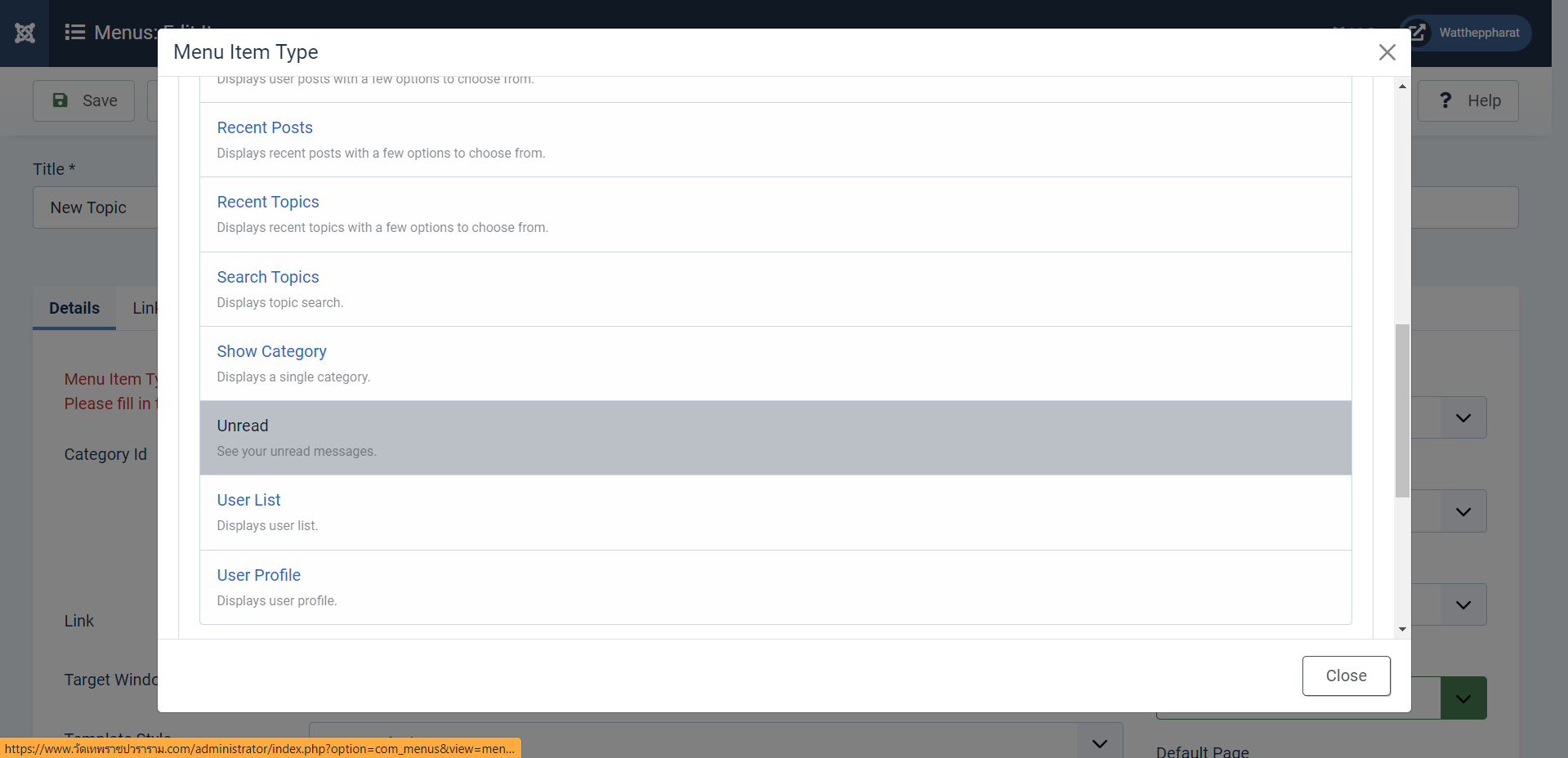
On backend it no Menu Type in "New Topic" item

How it fix this?
I can't access "New Topic" menu on the frontend, it shows error 403.
On backend it no Menu Type in "New Topic" item
How it fix this?
Last edit: 4 years 1 month ago by g7website.
Please Log in or Create an account to join the conversation.


4 years 1 month ago #224401
by Leen
With kind regards
Leen
Replied by Leen on topic Can't access "New Topic" Menu. Error 403.
if you get this message on the front in kunena forum
"I can't access "New Topic" menu on the frontend, it shows error 403."
it may be that the permissions of the desired kunena category are not are set correctly.
Create new topic have nothing to do in administrator with a menu item
"I can't access "New Topic" menu on the frontend, it shows error 403."
it may be that the permissions of the desired kunena category are not are set correctly.
Create new topic have nothing to do in administrator with a menu item
With kind regards
Leen
Please Log in or Create an account to join the conversation.


Less
More
- Posts: 12291
- Thank you received: 2538
4 years 1 month ago #224402
by rich
But this menu item should still work. Did you create only one category?
Important! Always create a backup before you make any changes to your website!
Replied by rich on topic Can't access "New Topic" Menu. Error 403.
This seems to be a bug, I will add it to our bug list.On backend it no Menu Type in "New Topic" item
But this menu item should still work. Did you create only one category?
- Please create a configuration report: docs.kunena.org/en/faq/configuration-report
- Go to the Joomla Global Configuration (System tab) and enable Debug mode.
- On the Server tab, select Error Report = Maximum.
- Also enable debug mode in the Kunena configuration (General tab).
- On the frontend, click New Topic and tell us about the error message.
Important! Always create a backup before you make any changes to your website!
Please Log in or Create an account to join the conversation.
4 years 1 month ago - 4 years 1 month ago #224410
by Leen
With kind regards
Leen
Replied by Leen on topic Can't access "New Topic" Menu. Error 403.
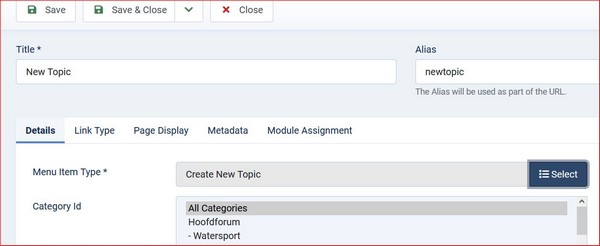
I've checked the On backend Kunena Menu Type setting in "New Topic" item again
and see the attached pictures what I have in it.
1.
2.
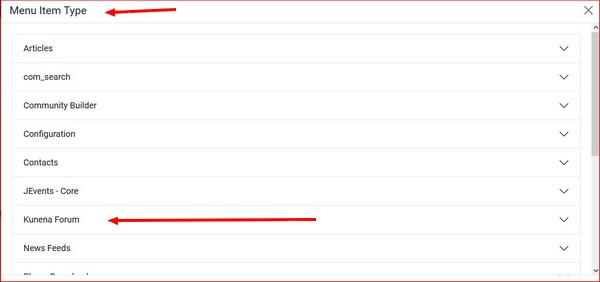
at picture 3 choose create new topic
3.
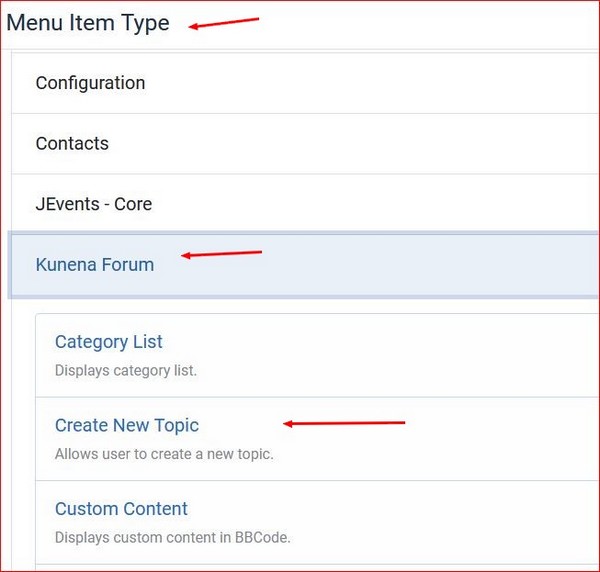
and see the attached pictures what I have in it.
1.
2.
at picture 3 choose create new topic
3.
With kind regards
Leen
Last edit: 4 years 1 month ago by Leen. Reason: new picture
Please Log in or Create an account to join the conversation.
Less
More
- Posts: 12291
- Thank you received: 2538
4 years 1 month ago #224418
by rich
Important! Always create a backup before you make any changes to your website!
Replied by rich on topic Can't access "New Topic" Menu. Error 403.
@Leen
It seems that this problem only occurs with new installations.
On your test page, go to Kunena -> Tools and uninstall Kunena.
Then install Kunena 6.0.2 and create the Kunena menu.
Then check this list again. The menu item Create New Topic is missing.
It seems that this problem only occurs with new installations.
On your test page, go to Kunena -> Tools and uninstall Kunena.
Then install Kunena 6.0.2 and create the Kunena menu.
Then check this list again. The menu item Create New Topic is missing.
Important! Always create a backup before you make any changes to your website!
Please Log in or Create an account to join the conversation.
4 years 1 month ago - 4 years 1 month ago #224420
by Leen
With kind regards
Leen
Replied by Leen on topic Can't access "New Topic" Menu. Error 403.
@Rich
yes, it is indeed empty.

can therefore not make him extra more than he is missing in Menu Item Type
yes, it is indeed empty.
can therefore not make him extra more than he is missing in Menu Item Type
With kind regards
Leen
Last edit: 4 years 1 month ago by Leen.
The following user(s) said Thank You: rich
Please Log in or Create an account to join the conversation.
Time to create page: 0.232 seconds