Kunena 7.0.4 Released

The Kunena team has announce the arrival of Kunena 7.0.4 [K 7.0.4] in stable which is now available for download as a native Joomla extension for J! 5.4.x/6.0.x. This version addresses most of the issues that were discovered in K 6.2 / K 6.3 / K 6.4 and issues discovered during the last development stages of K 7.0

Topics must relate to a currently supported version of Kunena. If you are unsure what is the current supported version of Kunena, please go to the download page.

If you are having problems then, for your own benefit, it would save us all a lot of time if you would kindly post your configuration report when you ask for help from this forum. If you do not post your configuration report we will not ask you for it but you will probably not get your problem solved, either.

Solved Fail for modal window creating polls
More
9 years 2 months ago #184057 by Jean-Marie
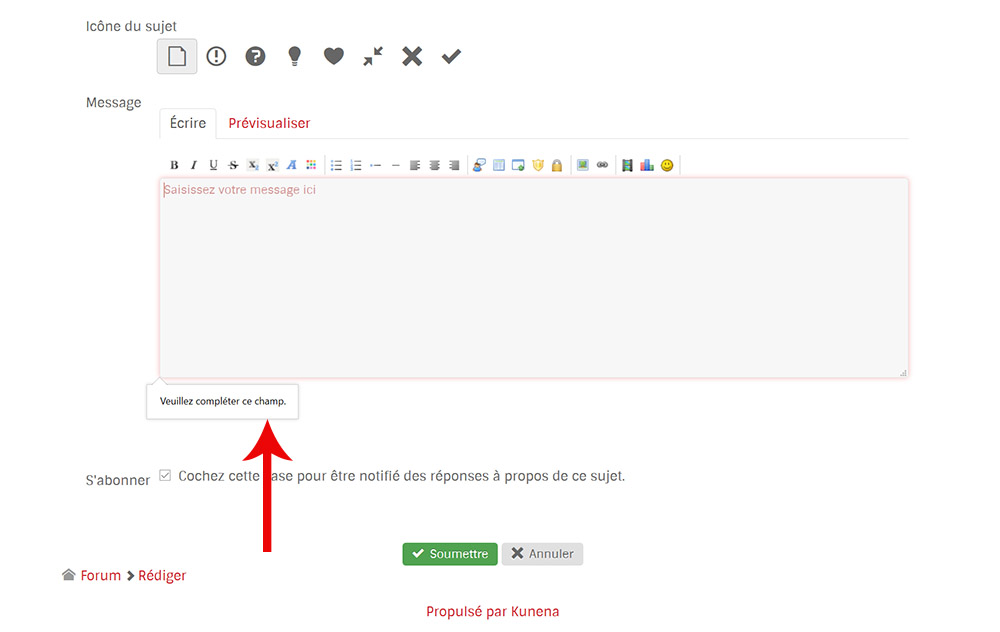
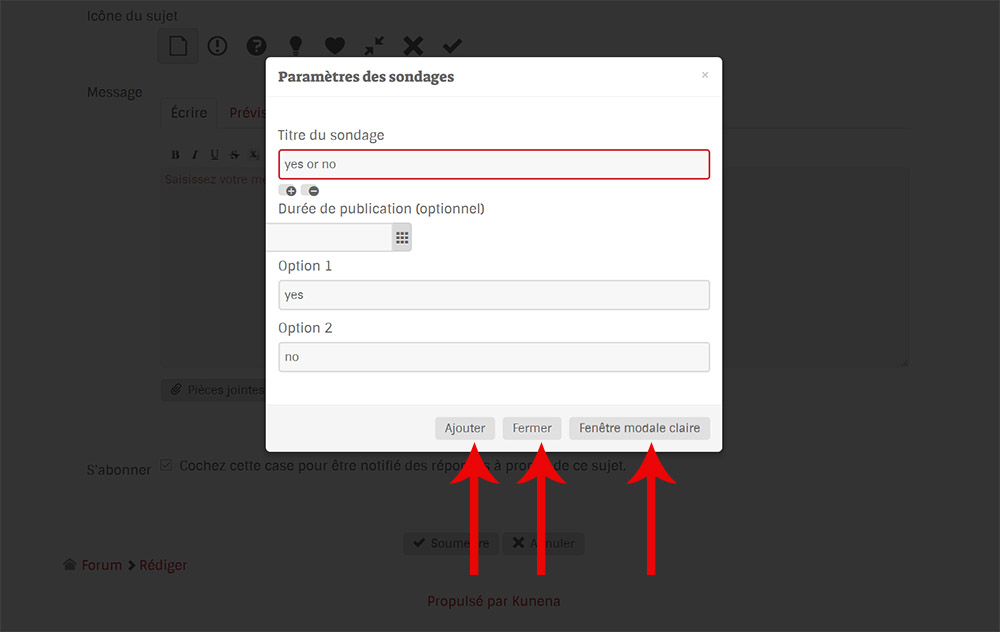
There's nothing in the editor field after the modal window disapeared, same in the preview. And when i'm submitting the message, it says "Please, fill in this field"...

I'm using french language...


Please Log in or Create an account to join the conversation.

More
9 years 2 months ago #184058 by rich
You can't create a poll without a topic. Create a new topic -> then create the poll -> now enter a text in the message field -> save it

Important! Always create a backup before you make any changes to your website!

Please Log in or Create an account to join the conversation.

More
9 years 2 months ago #184061 by Jean-Marie
Might be someting i don't understand... :(

I'm creating a new topic. Of course, i previously have to enter some words in the title and content textfield, in order to be able to clik on the submit button. Then, i'm trying to create a new poll by editing the first post, or in a answer, but in the two cases, the poll icon is missing in BB code editor !

How wrong am i ?

Please Log in or Create an account to join the conversation.

More
9 years 2 months ago #184064 by rich
I'm sorry, probably I've explained it incomprehensible.

That's what you must do:

1. click on button New Topic
2. enter a topic title and text
3. click on poll symbol and enter your poll options
4. click on add button (it goes back to the editor)
5. now click on the submit button to save the message

Important! Always create a backup before you make any changes to your website!

Please Log in or Create an account to join the conversation.

More
9 years 2 months ago #184129 by Jean-Marie
Right. It's working. Thanks a lot !

Please Log in or Create an account to join the conversation.

Time to create page: 0.266 seconds