Kunena 7.0.5 & Kunena 6.4.11 – Security Updates Released

The Kunena team has announce the arrival of Kunena 7.0.5 [K 7.0.5] in stable which is now available for download as a native Joomla extension for J! 5.4.x/6.0.x. This version addresses most of the issues that were discovered in K 6.2 / K 6.3 / K 6.4 and issues discovered during the last development stages of K 7.0.

The Kunena team is also pleased to announce the eleventh version of Kunena 6.4, a native Joomla extension for Joomla! 5.0, 5.1, 5.2, 5.3, 5.4 and 6.0.

Topics that are moved into this category are generally considered to be closed. Users may want to add additional information but these topics should not be resurrected in order to discuss new problems or unrelated matters.

Solved Public View of Forum not available
More
13 years 5 months ago #137613 by kslanglms!
Hello:

I am using Kunena 2.0.3 (fantastic component, btw), and want the forum to allow public viewing but require registration to post. I have set this up correctly on two other forums, however, the one I am working on now does not show the topic index.

www.shortstoriescafe.com/index.php/forum/index

unless someone is registered.

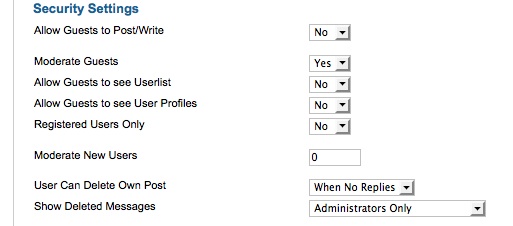
In the Configuration Settings, I have selected in the Security Settings:

Registered Users Only to "NO"

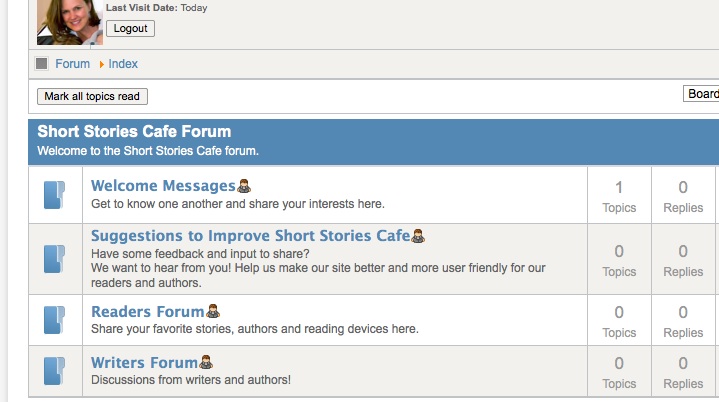
Am I missing something??? In the second image, I show how the forum appears once logged in.

Thanks for any advice and or help.

Please Log in or Create an account to join the conversation.

More
13 years 5 months ago #137617 by sozzled
When someone visits your site (without logging in) they see "There are no published categories in ." (which to me looks a little odd because the message is incomplete).

I think you have have not properly setup your forum categories to allow guests to view your categories. As a simple way out of your problem, I suggest you read Simple forum setup instructions which explains how to setup your categories so that you can decide (and define) who can view the categories that you want people to be able to see if they are not logged in or if when they are logged in.

These settings are defined (for each category) in the Permissions tab. I hope that helps.
The following user(s) said Thank You: kslanglms!

Please Log in or Create an account to join the conversation.

More
13 years 5 months ago #137643 by kslanglms!
Ah, I missed that...shouldn't have! Yes, you are correct, and I appreciate your response!

Thanks so much!

Kelly

Please Log in or Create an account to join the conversation.

Time to create page: 0.228 seconds