


- Posts: 11
- Thank you received: 0
Kunena 7.0.4 Released
The Kunena team has announce the arrival of Kunena 7.0.4 [K 7.0.4] in stable which is now available for download as a native Joomla extension for J! 5.4.x/6.0.x. This version addresses most of the issues that were discovered in K 6.2 / K 6.3 / K 6.4 and issues discovered during the last development stages of K 7.0
Question Completely disable topic icons, and boardcode
17 years 1 month ago #9123
by vcardillo
Completely disable topic icons, and boardcode was created by vcardillo
Hi guys,
I searched for this topic but could not find it. I am using the default_ex template, and I checked the template folder, but I have no idea which file may allow me to accomplish this.
During the posting of a new thread or reply, I'm wondering if I can just hide the boardcode and the topic icons completely from users. I can't seem to find it in the configuration where I can customie topic icons, or where I can really customie bbcode to the level of granularity that I want.
I'd definitely just like to be able to hide these options, I think.
Thanks in advance for the help,
- vince
I searched for this topic but could not find it. I am using the default_ex template, and I checked the template folder, but I have no idea which file may allow me to accomplish this.
During the posting of a new thread or reply, I'm wondering if I can just hide the boardcode and the topic icons completely from users. I can't seem to find it in the configuration where I can customie topic icons, or where I can really customie bbcode to the level of granularity that I want.
I'd definitely just like to be able to hide these options, I think.
Thanks in advance for the help,
- vince
Please Log in or Create an account to join the conversation.
- grumblemarc
-

- Offline
- Elite Member
-

- Still making trouble
Less
More
- Posts: 1107
- Thank you received: 3
17 years 1 month ago #9125
by grumblemarc
We love stars on the Joomla Extension Directory .
Replied by grumblemarc on topic Re:Completely disable topic icons, and boardcode
Why might I ask? This is a strange request.
We love stars on the Joomla Extension Directory .
Please Log in or Create an account to join the conversation.
17 years 1 month ago #9126
by vcardillo
Replied by vcardillo on topic Re:Completely disable topic icons, and boardcode
I know. The client wants it 
Please Log in or Create an account to join the conversation.
- grumblemarc
-
- Offline
- Elite Member
-
- Still making trouble
Less
More
- Posts: 1107
- Thank you received: 3
17 years 1 month ago #9128
by grumblemarc
We love stars on the Joomla Extension Directory .
Replied by grumblemarc on topic Re:Completely disable topic icons, and boardcode
I don't have time o search the files but if you are familiar with Firebug or Web Developer you should be able to locate these in the CSS and set the display to NONE.
We love stars on the Joomla Extension Directory .
Please Log in or Create an account to join the conversation.
17 years 1 month ago #9135
by vcardillo
Replied by vcardillo on topic Re:Completely disable topic icons, and boardcode
Thanks. I did some searching. I wasn't able to with CSS, because a few entire <tr>'s needed to be turned off. I ended up having to edit a few template files.
Oh well.
Oh well.
Please Log in or Create an account to join the conversation.
17 years 1 month ago #9139
by Lintzy
Replied by Lintzy on topic Re:Completely disable topic icons, and boardcode
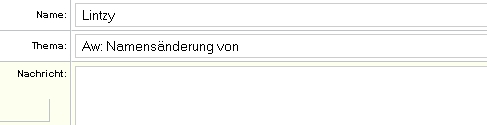
The ebay item id given is invalid, no result has been sentThe ebay item id given is invalid, no result has been sentDid i understand right, you want to have the "post a message" look like this?

So, that there is no bbcode and topicons / emoticons? Ok. You have to edit two files form default! Template, not default_ex: fb_write,html.php and smile.class.php.
The best way (imho) is, to comment it out (not deleting, because, in this way you can always go back to original state).
fb_write,html.php comment out with <!-- --> (marked red), line 126 - 137 (ca)
and smile.class.php line 249 - 368
So, that there is no bbcode and topicons / emoticons? Ok. You have to edit two files form default! Template, not default_ex: fb_write,html.php and smile.class.php.
The best way (imho) is, to comment it out (not deleting, because, in this way you can always go back to original state).
fb_write,html.php comment out with <!-- --> (marked red), line 126 - 137 (ca)
<!-- <tr class = "<?php echo $boardclass; ?>sectiontableentry2">
<td class = "fb_leftcolumn">
<strong><?php echo _GEN_TOPIC_ICON; ?></strong>:
</td>
<td class = "fb-topicicons">
<?php
$topicToolbar = smile::topicToolbar(0, $fbConfig->rtewidth);
echo $topicToolbar;
?>
</td>
</tr> -->
and smile.class.php line 249 - 368
<!-- <tr class = "<?php echo $boardclass; ?>sectiontableentry1">
<td class = "fb_leftcolumn" valign = "top">
<strong><a href = "<?php echo sefRelToAbs(KUNENA_LIVEURLREL.'&func=faq').'#boardcode';?>"><?php echo _COM_BOARDCODE; ?></a></strong>:
</td>
<td>
<table border = "0" cellspacing = "0" cellpadding = "0" class = "fb-postbuttonset">
<tr>
<td class = "fb-postbuttons">
<input type = "button" class = "<?php echo $boardclass;?>button" accesskey = "b" name = "addbbcode0" value = " B " style = "font-weight:bold; " onclick = "bbstyle(0)" onmouseover = "helpline('b')" />
<input type = "button" class = "<?php echo $boardclass;?>button" accesskey = "i" name = "addbbcode2" value = " i " style = "font-style:italic; " onclick = "bbstyle(2)" onmouseover = "helpline('i')" />
<input type = "button" class = "<?php echo $boardclass;?>button" accesskey = "u" name = "addbbcode4" value = " u " style = "text-decoration: underline;" onclick = "bbstyle(4)" onmouseover = "helpline('u')" />
<input type = "button" class = "<?php echo $boardclass;?>button" accesskey = "q" name = "addbbcode6" value = "Quote" onclick = "bbstyle(6)" onmouseover = "helpline('q')" />
<input type = "button" class = "<?php echo $boardclass;?>button" accesskey = "c" name = "addbbcode8" value = "Code" onclick = "bbstyle(" onmouseover = "helpline('c')" />
<input type = "button" class = "<?php echo $boardclass;?>button" accesskey = "k" name = "addbbcode10" value = "ul" onclick = "bbstyle(10)" onmouseover = "helpline('k')" />
<input type = "button" class = "<?php echo $boardclass;?>button" accesskey = "o" name = "addbbcode12" value = "ol" onclick = "bbstyle(12)" onmouseover = "helpline('o')" />
<input type = "button" class = "<?php echo $boardclass;?>button" accesskey = "l" name = "addbbcode18" value = "li" onclick = "bbstyle(18)" onmouseover = "helpline('l')" />
<input type = "button" class = "<?php echo $boardclass;?>button" accesskey = "p" name = "addbbcode14" value = "Img" onclick = "bbstyle(14)" onmouseover = "helpline('p')" />
<input type = "button" class = "<?php echo $boardclass;?>button" accesskey = "w" name = "addbbcode16" value = "URL" style = "text-decoration: underline; " onclick = "bbstyle(16)" onmouseover = "helpline('w')" />
<input type = "button" class = "<?php echo $boardclass;?>button" accesskey = "h" name = "addbbcode24" value = "Hide" onclick = "bbstyle(20)" onmouseover = "helpline('h')" />
<br />
<?php echo _SMILE_COLOUR; ?>:
<select name = "addbbcode20"
onchange = "bbfontstyle('[color=' + this.form.addbbcode20.options[this.form.addbbcode20.selectedIndex].value + ']', '[/color]');" onmouseover = "helpline('s')" class = "<?php echo $boardclass;?>slcbox">
<option style = "color:black; background-color: #FAFAFA" value = ""><?php echo _COLOUR_DEFAULT; ?></option>
<option style = "color:#FF0000; background-color: #FAFAFA" value = "#FF0000"><?php echo _COLOUR_RED; ?></option>
<option style = "color:#800080; background-color: #FAFAFA" value = "#800080"><?php echo _COLOUR_PURPLE; ?></option>
<option style = "color:#0000FF; background-color: #FAFAFA" value = "#0000FF"><?php echo _COLOUR_BLUE; ?></option>
<option style = "color:#008000; background-color: #FAFAFA" value = "#008000"><?php echo _COLOUR_GREEN; ?></option>
<option style = "color:#FFFF00; background-color: #FAFAFA" value = "#FFFF00"><?php echo _COLOUR_YELLOW; ?></option>
<option style = "color:#FF6600; background-color: #FAFAFA" value = "#FF6600"><?php echo _COLOUR_ORANGE; ?></option>
<option style = "color:#000080; background-color: #FAFAFA" value = "#000080"><?php echo _COLOUR_DARKBLUE; ?></option>
<option style = "color:#825900; background-color: #FAFAFA" value = "#825900"><?php echo _COLOUR_BROWN; ?></option>
<option style = "color:#9A9C02; background-color: #FAFAFA" value = "#9A9C02"><?php echo _COLOUR_GOLD; ?></option>
<option style = "color:#A7A7A7; background-color: #FAFAFA" value = "#A7A7A7"><?php echo _COLOUR_SILVER; ?></option>
</select>
<?php echo _SMILE_SIZE; ?>:
<select name = "addbbcode22" onchange = "bbfontstyle('[size=' + this.form.addbbcode22.options[this.form.addbbcode22.selectedIndex].value + ']', '[/size]')" onmouseover = "helpline('f')" class = "<?php echo $boardclass;?>slcbox">
<option value = "1"><?php echo _SIZE_VSMALL; ?></option>
<option value = "2"><?php echo _SIZE_SMALL; ?></option>
<option value = "3" selected = "selected"><?php echo _SIZE_NORMAL; ?></option>
<option value = "4"><?php echo _SIZE_BIG; ?></option>
<option value = "5"><?php echo _SIZE_VBIG; ?></option>
</select>
<?php if ($fbConfig->showspoilertag) {?>
<script type="text/javascript">
function fb_spoiler_help() {document.postform.helpbox.value = 'Spoiler:';}Warning: Spoiler!...
</script>
<input type = "button" class = "<?php echo $boardclass;?>button" accesskey = "s" name = "addbbcode40" value = "Spoiler" onclick = "bbfontstyle('')" onmouseover = "fb_spoiler_help()" />Warning: Spoiler!', '
<?php } ?>
<?php if ($fbConfig->showebaytag) {?>
<script type="text/javascript">
function fb_ebay_help() {document.postform.helpbox.value = 'eBay: ';}
</script>
<input type = "button" class = "<?php echo $boardclass;?>button" accesskey = "e" name = "addbbcode30" value = "eBay" onclick = "bbfontstyle('')" onmouseover = "fb_ebay_help()" />
<?php } ?>
<?php if ($fbConfig->showvideotag) {?>
<span style="white-space:nowrap;">
<script type="text/javascript">
function fb_vid_help1() {document.postform.helpbox.value = 'Video: ';}
function fb_vid_help2() {document.postform.helpbox.value = 'Video: ';}
</script>
<a href = "javascript: bbfontstyle('')" onmouseover = "fb_vid_help2()">Video:</a>
<select name = "fb_vid_code1" onchange = "bbfontstyle('[video type=' + this.form.fb_vid_code1.options[this.form.fb_vid_code1.selectedIndex].value, '[/video]');" onmouseover = "fb_vid_help1()" class = "<?php echo $boardclass;?>button">
<?php
$vid_provider = array('','AnimeEpisodes','Biku','Bofunk','Break','Clip.vn','Clipfish','Clipshack','Collegehumor','Current',
'DailyMotion','DivX,divx]http://','DownloadFestival','Flash,flash]http://','FlashVars,flashvars param=]http://','Fliptrack',
'Fliqz','Gametrailers','Gamevideos','Glumbert','GMX','Google','GooglyFoogly','iFilm','Jumpcut','Kewego','LiveLeak','LiveVideo',
'MediaPlayer,mediaplayer]http://','MegaVideo','Metacafe','Mofile','Multiply','MySpace','MyVideo','QuickTime,quicktime]http://','Quxiu',
'RealPlayer,realplayer]http://','Revver','RuTube','Sapo','Sevenload','Sharkle','Spikedhumor','Stickam','Streetfire','StupidVideos','Toufee','Tudou',
'Unf-Unf','Uume','Veoh','VideoclipsDump','Videojug','VideoTube','Vidiac','VidiLife','Vimeo','WangYou','WEB.DE','Wideo.fr','YouKu','YouTube');
foreach($vid_provider as $vid_type) {
list($vid_name, $vid_type) = explode(',', $vid_type);
echo '<option value = "'.(($vid_type)?$vid_type:strtolower($vid_name).']').'">'.$vid_name.'</option>';
}
?>
</select></span>
<?php } ?>
</td>
</tr>
<tr>
<td class = "<?php echo $boardclass;?>posthint">
<input type = "text" name = "helpbox" size = "45" class = "<?php echo $boardclass;?>inputbox" maxlength = "100" value = "<?php echo _BBCODE_HINT;?>" />
</td>
</tr>
</table>
</td>
</tr>-->
Please Log in or Create an account to join the conversation.
Time to create page: 0.266 seconds