


- Posts: 2144
- Thank you received: 4
Kunena 7.0.4 Released
The Kunena team has announce the arrival of Kunena 7.0.4 [K 7.0.4] in stable which is now available for download as a native Joomla extension for J! 5.4.x/6.0.x. This version addresses most of the issues that were discovered in K 6.2 / K 6.3 / K 6.4 and issues discovered during the last development stages of K 7.0
This category contains miscellaneous, uncategorised user contributions, (templates, modules, plugins and hacks) relating to older versions of Kunena that are no longer supported.
This category may also contain a few topics relating to K 1.6 that may have been moved here possibly by mistake.
The topics in this category are for historical interest only. Owing to the structural differences between K 1.6 and K 1.7, these ideas in these topics will not work with later versions and, for that reason, the topics are locked.
This category may also contain a few topics relating to K 1.6 that may have been moved here possibly by mistake.
The topics in this category are for historical interest only. Owing to the structural differences between K 1.6 and K 1.7, these ideas in these topics will not work with later versions and, for that reason, the topics are locked.
Question Fixes, Suggestions and more
17 years 2 months ago - 17 years 2 months ago #4327
by Lintzy
Fixes, Suggestions and more was created by Lintzy
As spoken
in this thread
, there is an existing problem in template default_ex, if User put large images into their signature.
My solution is checked in validator and browser IE 6, IE 7, Firefox 3 and Opera 9 (i have no firefox 2)
I'll try to explain it, with my bad english
Put message and buttons in 1 td (not two), make two <div> with different classes and change a little bit the css. I have done so in template default_ex. The changed files are in attachment, give it a try.
change in message.php line 312 - 407
changed (is marked with red color if possible)
And in kunena.forum.css delete or comment out with /* */ the text-align:right; in div.fb_message_buttons_cover and put some new code, (changes in red color)
The changes you can see on screenshot ( i have taken the first image for signature, i have found in internet)

My solution is checked in validator and browser IE 6, IE 7, Firefox 3 and Opera 9 (i have no firefox 2)
I'll try to explain it, with my bad english
Put message and buttons in 1 td (not two), make two <div> with different classes and change a little bit the css. I have done so in template default_ex. The changed files are in attachment, give it a try.
change in message.php line 312 - 407
<table width="100%" cellpadding="0" cellspacing="0"><tr>
<?php
if ($msg_signature) {
echo '<td class="msgsignature"><div>';
echo $msg_signature;
echo '</div></td>';
}
?>
<td valign="bottom">
<div class="fb_message_buttons_cover">
<span id = "fb_qr_sc__<?php echo $msg_id;?>" class = "fb_qr_fire" style = "cursor:hand; cursor:pointer">
<?php
//we should only show the Quick Reply section to registered users. otherwise we are missing too much information!!
/* onClick="expandcontent(this, 'sc<?php echo $msg_id;?>')" */
if ($my->id > 0 && !$msg_closed)
{
?>
<?php echo
$fbIcons
? '<img src="' . KUNENA_URLICONSPATH . '' . $fbIcons . '" border="0" alt="' . _KUNENA_QUICKMSG . '" />' . '' : ' <img src="' . KUNENA_URLEMOTIONSPATH . 'quickmsg.gif" border="0" alt="' . _KUNENA_QUICKMSG . '" />'; ?>
<?php
}
?>
</span>
<?php
if ($fbIcons)
{
if ($msg_closed == "")
{
echo " " . $msg_reply;
echo " " . $msg_quote;
if ($is_Moderator) echo ' </div><div class="fb_message_buttons_cover">';
if ($msg_merge) {
echo " " . $msg_merge;
}
if ($msg_split) {
echo " " . $msg_split;
}
if ($msg_delete) {
echo " " . $msg_delete;
}
if ($msg_edit) {
echo " " . $msg_edit;
}
}
else {
echo $msg_closed;
}
}
else
{
if ($msg_closed == "")
{
echo $msg_reply;
?>
|
<?php
echo $msg_quote;
if ($msg_delete) {
echo " | " . $msg_delete;
}
if ($msg_move) {
echo " | " . $msg_move;
}
if ($msg_edit) {
echo " | " . $msg_edit;
}
if ($msg_sticky) {
echo " | " . $msg_sticky;
}
if ($msg_lock) {
echo "| " . $msg_lock;
}
}
else {
echo $msg_closed;
}
}
?>
</div>
</td></tr></table>
changed (is marked with red color if possible)
<table width="100%" cellpadding="0" cellspacing="0"><tr>
<?php
if ($msg_signature) {
echo '<td><div class="msgsignature"><div>';
echo '<div class="kunena_signature">';
echo $msg_signature;
echo '</div>';
echo '</div></div>';
}
?>
<div class="kunena_message_button">
<div class="fb_message_buttons_cover">
<span id = "fb_qr_sc__<?php echo $msg_id;?>" class = "fb_qr_fire" style = "cursor:hand; cursor:pointer">
<?php
//we should only show the Quick Reply section to registered users. otherwise we are missing too much information!!
/* onClick="expandcontent(this, 'sc<?php echo $msg_id;?>')" */
if ($my->id > 0 && !$msg_closed)
{
?>
<?php echo
$fbIcons
? '<img src="' . KUNENA_URLICONSPATH . '' . $fbIcons . '" border="0" alt="' . _KUNENA_QUICKMSG . '" />' . '' : ' <img src="' . KUNENA_URLEMOTIONSPATH . 'quickmsg.gif" border="0" alt="' . _KUNENA_QUICKMSG . '" />'; ?>
<?php
}
?>
</span>
<?php
if ($fbIcons)
{
if ($msg_closed == "")
{
echo " " . $msg_reply;
echo " " . $msg_quote;
if ($is_Moderator) echo ' </div><div class="fb_message_buttons_cover">';
if ($msg_merge) {
echo " " . $msg_merge;
}
if ($msg_split) {
echo " " . $msg_split;
}
if ($msg_delete) {
echo " " . $msg_delete;
}
if ($msg_edit) {
echo " " . $msg_edit;
}
}
else {
echo $msg_closed;
}
}
else
{
if ($msg_closed == "")
{
echo $msg_reply;
?>
|
<?php
echo $msg_quote;
if ($msg_delete) {
echo " | " . $msg_delete;
}
if ($msg_move) {
echo " | " . $msg_move;
}
if ($msg_edit) {
echo " | " . $msg_edit;
}
if ($msg_sticky) {
echo " | " . $msg_sticky;
}
if ($msg_lock) {
echo "| " . $msg_lock;
}
}
else {
echo $msg_closed;
}
}
?>
</div></div>
</td></tr></table>
And in kunena.forum.css delete or comment out with /* */ the text-align:right; in div.fb_message_buttons_cover and put some new code, (changes in red color)
div.fb_message_buttons_cover {
/*text-align:right; */
height: 15px;
line-height: 15px;
margin: 4px 0px 3px;
line-height: 14px;
white-space: nowrap;
}
#Kunena .kunena_message_button {
display: block;
margin-top: 10px;
margin-bottom:10px;
}
#Kunena .kunena_signature {
display: block;
padding-top: 10px;
padding-bottom:10px;
border-bottom: 1px solid #BFC3C6;
}
The changes you can see on screenshot ( i have taken the first image for signature, i have found in internet)
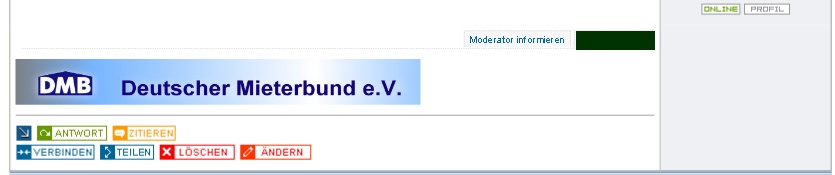
Last edit: 17 years 2 months ago by Lintzy.
Please Log in or Create an account to join the conversation.
17 years 2 months ago - 17 years 2 months ago #4330
by Lintzy
Replied by Lintzy on topic Re:Fixes, Suggestions and more
If you want to have the buttons below in one line you have to comment out or to delete this
echo ' </div><div class="fb_message_buttons_cover">';
In orginal message.php (from kunena) it is line 347
in my changed message.php it is line 349
In file attachment, is the message.php + forum.css (css is same as above) for getting the buttons below the signature and in one line, as shown on screenshot.
You find and have to change (before make backup of these files!) in components/com_kunena/template/default_ex

echo ' </div><div class="fb_message_buttons_cover">';
In orginal message.php (from kunena) it is line 347
in my changed message.php it is line 349
<?php
if ($fbIcons)
{
if ($msg_closed == "")
{
echo " " . $msg_reply;
echo " " . $msg_quote;
if ($is_Moderator) /* echo ' </div><div class="fb_message_buttons_cover">';*/
if ($msg_merge) {
echo " " . $msg_merge;
}
In file attachment, is the message.php + forum.css (css is same as above) for getting the buttons below the signature and in one line, as shown on screenshot.
You find and have to change (before make backup of these files!) in components/com_kunena/template/default_ex

Last edit: 17 years 2 months ago by Lintzy.
Please Log in or Create an account to join the conversation.
17 years 2 months ago #4335
by Lintzy
Replied by Lintzy on topic Re:Fixes, Suggestions and more
One user had buttonsm that were collapsed above in Internet Explorer 7. The template itself,that is used, has no clean code, but with this little change it works.

kunena.forum.css
changes (red)
to new (red)
kunena.forum.css
changes (red)
#Kunena #Kunena_top td {
background: #FFFFFF;
color:#000000;
height:35px;
margin:0;
border-style:solid;
border-color:#5182A4;
border-top-width:0;
border-right-width:0;
border-bottom-width:3px;
border-left-width:0;
}
to new (red)
#Kunena #Kunena_top td {
background: #FFFFFF;
color:#000000;
height:auto;
margin:0;
border-style:solid;
border-color:#5182A4;
border-top-width:0;
border-right-width:0;
border-bottom-width:3px;
border-left-width:0;
}
Please Log in or Create an account to join the conversation.


17 years 2 months ago #4379
by Matias
Replied by Matias on topic Re:Fixes, Suggestions and more
About that last change: It may not work in IE6. IE6 has some issues with auto..
Please Log in or Create an account to join the conversation.
17 years 2 months ago - 17 years 2 months ago #4396
by Lintzy
Replied by Lintzy on topic Re:Fixes, Suggestions and more
It has worked with IE 6, in this case, i had tested with different browser.
And you can check it here: www.airconservicing.com/discussions.html
This is with hight: auto
Perhaps generally a Browser switch (ie.css) or conditional comments to exklude IE 6 or something else.
Btw. I love IE :whistle: :blink:
And you can check it here: www.airconservicing.com/discussions.html
This is with hight: auto
Perhaps generally a Browser switch (ie.css) or conditional comments to exklude IE 6 or something else.
Btw. I love IE :whistle: :blink:
Last edit: 17 years 2 months ago by Lintzy.
Please Log in or Create an account to join the conversation.
- NicholasJohn16
-

- Offline
- Senior Member
-

Less
More
- Posts: 91
- Thank you received: 2
17 years 1 month ago #9379
by NicholasJohn16
Replied by NicholasJohn16 on topic Re:Fixes, Suggestions and more
Can you mix this fix and your
Profile Positioning
fix together? I've been trying to get them to work together, and it's just not.
Please Log in or Create an account to join the conversation.
Time to create page: 0.912 seconds