
Kunena 7.0.5 & Kunena 6.4.11 – Security Updates Released
The Kunena team has announce the arrival of Kunena 7.0.5 [K 7.0.5] in stable which is now available for download as a native Joomla extension for J! 5.4.x/6.0.x. This version addresses most of the issues that were discovered in K 6.2 / K 6.3 / K 6.4 and issues discovered during the last development stages of K 7.0.
The Kunena team is also pleased to announce the eleventh version of Kunena 6.4, a native Joomla extension for Joomla! 5.0, 5.1, 5.2, 5.3, 5.4 and 6.0.
This category may also contain a few topics relating to K 1.6 that may have been moved here possibly by mistake.
The topics in this category are for historical interest only. Owing to the structural differences between K 1.6 and K 1.7, these ideas in these topics will not work with later versions and, for that reason, the topics are locked.
Question New Groups Badges..!


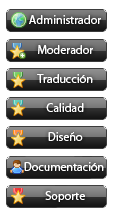
Acá les dejo otra colaboración, son nuevas imágenes para grupos, son vistosas y de muy buena calidad. Estan en formato .png para más y mejor calidad, brillo y luminosidad, solo deben reemplazar el .gif del archivo kunena.forum.ccs por .pgn y listo. Les dejo las imágenes en español e ingles.
Espero sean de su agrado.
Saludos
Hello everyone.
I bring you another collaborative groups are new images are colorful and high quality. They are in .png format for better quality, brightness and luminosity, only to be replace in file Kunena.forum.ccs the .gif for .png and ready. I leave the pictures in Spanish and English.
Hope will be to their liking.
Greetings.


KS!
NO hacer Spam | NO esbribas todo en mayúsculas | Sigue las reglas
Please Log in or Create an account to join the conversation.

Please Log in or Create an account to join the conversation.
Los grupos en el antiguo Fireboard estaban creados directamente en la tabla #__fb_group, acá en Kunena también puedes crearlos allí.
Solo debes agregar a esta tabla la siguiente información:
Groups in the former FireBoard were created directly in the table #__fb_group here in Kunena also can create it.
You only have to add to this table the following information:
Los valores 2, 3, 4, 5, 6, 7, 8 pueden cambiarlos a como lo deseen, por ejemplo en vez de tener el valor 2 que es Administrador,INSERT INTO `oshavene_fb_groups` VALUES (1, 'Registrado'); <-- Este valor no se cambia -->
INSERT INTO `oshavene_fb_groups` VALUES (2, 'Administrador'); <-- Cambiar estos valores a requerimientos del usuario -->
INSERT INTO `oshavene_fb_groups` VALUES (3, 'Moderadores');
INSERT INTO `oshavene_fb_groups` VALUES (4, 'Colaboradores');
INSERT INTO `oshavene_fb_groups` VALUES (5, 'Documentación');
INSERT INTO `oshavene_fb_groups` VALUES (6, 'Publicadores');
INSERT INTO `oshavene_fb_groups` VALUES (7, 'Disciplina');
INSERT INTO `oshavene_fb_groups` VALUES (8, 'Soporte');
pueden colocar <b>Super Administrador</b> y así sucesivamente.
The values 2, 3, 4, 5, 6, 7, 8 can change them as they wish, for example instead of having the value 2 that is administered
<b>Super Administrator</b> can place and so on.
Luego de ello es darle la información a Kunena que estos grupos están creados. Para ello editaremos el archivo <b>kunena.forum.css</b> de la plantilla
<b>defaul_ex</b> y al final de esta agregaremos:
After giving this information to Kunena these groups are created. To do this edit the file <b>kunena.forum.css</b> from the template
<b>defaul_ex</b> and after this add:
Para utilizar finalmente estos grupos deben darle el permiso necesario, esto lo conseguimos primero adjudicando a cada usuario el nivel del grupo./* KUNENA BADGES */
/* User Group Style
*/
span.view-group_1 {
}
span.fb_group_1 {
}
span.view-group_2 {
display:block;
background:url(images/admin.png) no-repeat center top;
width:105px;
height:25px;
text-indent:-1000px;
margin:0 auto 5px auto;
overflow:hidden;
color:#FF0000;
}
span.fb_group_2, a.fb_group_2:link, a.fb_group_2:visited {
color:#FF0000;
}
span.view-group_3 {
display:block;
background:url(images/group_3.png) no-repeat center top;
width:105px;
height:25px;
text-indent:-1000px;
margin:0 auto 5px auto;
overflow:hidden;
color:#FF9900;
}
span.fb_group_3, a.fb_group_3:link, a.fb_group_3:visited {
color:#FF9900;
}
span.view-group_4 {
display:block;
background:url(images/group_4.png) no-repeat center top;
width:105px;
height:25px;
text-indent:-1000px;
margin:0 auto 5px auto;
overflow:hidden;
color:#FFCC00;
}
span.fb_group_4, a.fb_group_4:link, a.fb_group_4:visited {
color:#FFCC00;
}
span.view-group_5 {
display:block;
background:url(images/group_5.png) no-repeat center top;
width:105px;
height:25px;
text-indent:-1000px;
margin:0 auto 5px auto;
overflow:hidden;
color:#990099;
}
span.fb_group_5, a.fb_group_5:link, a.fb_group_5:visited {
color:#990099;
}
span.view-group_6 {
display:block;
background:url(images/group_6.png) no-repeat center top;
width:105px;
height:25px;
text-indent:-1000px;
margin:0 auto 5px auto;
overflow:hidden;
color:#669900;
}
span.fb_group_6, a.fb_group_6:link, a.fb_group_6:visited {
color:#669900;
}
span.view-group_7 {
display:block;
background:url(images/group_7.png) no-repeat center top;
width:105px;
height:25px;
text-indent:-1000px;
margin:0 auto 5px auto;
overflow:hidden;
color:#0066CC;
}
span.fb_group_7, a.fb_group_7:link, a.fb_group_7:visited {
color:#0066CC;
}
span.view-group_8 {
display:block;
background:url(images/group_8.png) no-repeat center top;
width:105px;
height:25px;
text-indent:-1000px;
margin:0 auto 5px auto;
overflow:hidden;
color:#000000;
}
span.fb_group_8, a.fb_group_8:link, a.fb_group_8:visited {
color:#000000;
}
.msgtext {
overflow:auto;
width:95%;
}
Como le damos el nivel al usuario, pues en la configuración del foro tenemos la <b>Administración de Usuarios</b> en ella buscamos un usuario X, y le damos el nivel, pero hay solo 4 niveles:
Sin rango asignado
Administrador
Moderador
Spammer
To use these groups to finally give the necessary permission, this is achieved by awarding a first level of each user group.
As we give the user level, since the setup of the forum we <b>User Management</b> it looked for a user X, and give you the level, but there are only 4 levels:
No rank given
Administrator
Moderator
Spammer
Si necesitamos otros niveles debemos crearlos, insertando en la Administración de rangos el nuevo rango, adjudicarle la imagen correspondiente
y crearlo como rango especial. Luego de ello darle ese rango al usuario X. También debemos hacer el cambio en la tabla #__fb_users para que el usuario
se muestre en nuestros foros como adjunto a un grupo X. Como lo hacemos pues buscamos el usuario por su Id ejemplo:
If you need other levels must create, by inserting in the Administration ranks the new range, assign the corresponding image
and one as special range. After that give the user the range X. We must also change in table #__fb_users for the user
show in our forums as an attachment to a group X. As we seek it for their user id example:
El usuario Benito tiene una Id Nº 385, editamos esa Id y buscamos la pestaña group_id, el grupo que le asignamos el Documentación que es el grupo Nº 7, pues en group_id colocamos 7 y ya está.
Tenemos un usuario del grupo de Documentación, con nivel 7 y rango especial.
Benito has a user Id No. 385, the edit tab and look for id group_id, group attach to the documentation that is the No. 7 because 7 group_id place and that's it.
We have a user group's documentation, with special rank and level 7.
Eso es todo. That's it.
<b>NOTA</b>: Si algo se me olvida háganmelo saber.
<b>NOTE</b>: If I miss something let me know.
Saludos. Greetings Everyone.
KS!
NO hacer Spam | NO esbribas todo en mayúsculas | Sigue las reglas
Please Log in or Create an account to join the conversation.