

- Posts: 64
- Thank you received: 0
Kunena 7.0.4 Released
The Kunena team has announce the arrival of Kunena 7.0.4 [K 7.0.4] in stable which is now available for download as a native Joomla extension for J! 5.4.x/6.0.x. This version addresses most of the issues that were discovered in K 6.2 / K 6.3 / K 6.4 and issues discovered during the last development stages of K 7.0
This category contains miscellaneous, uncategorised user contributions, (templates, modules, plugins and hacks) relating to older versions of Kunena that are no longer supported.
This category may also contain a few topics relating to K 1.6 that may have been moved here possibly by mistake.
The topics in this category are for historical interest only. Owing to the structural differences between K 1.6 and K 1.7, these ideas in these topics will not work with later versions and, for that reason, the topics are locked.
This category may also contain a few topics relating to K 1.6 that may have been moved here possibly by mistake.
The topics in this category are for historical interest only. Owing to the structural differences between K 1.6 and K 1.7, these ideas in these topics will not work with later versions and, for that reason, the topics are locked.
Question Profile Positioning
17 years 2 months ago #2505
by Andreaz
Replied by Andreaz on topic Re:Profile Positioning
grumblemarc wrote:
That would be great, cause once I tried and I just broke template. It would be much better that Kunena would use CSS templates.
Sounds easy enough. If I get the time.
That would be great, cause once I tried and I just broke template. It would be much better that Kunena would use CSS templates.
Please Log in or Create an account to join the conversation.
- johnnydement
-

- Offline
- Elite Member
-

Less
More
- Posts: 934
- Thank you received: 5
17 years 2 months ago #2594
by johnnydement
Replied by johnnydement on topic Re:Profile Positioning
One of our aims for 1.1 version is to take all the logic from the templates, and create an aPI for them as we're doing for 3rd party extensions, to make it easy to create new templates for kunena 
Please Log in or Create an account to join the conversation.


17 years 2 months ago #3124
by Kibosh
Replied by Kibosh on topic Re:Profile Positioning
What is an aPI?
And because I read from time to time coming with v1.1 so I have to ask... Is it know when to expect this 1.1 because that I didn't found yet.
And because I read from time to time coming with v1.1 so I have to ask... Is it know when to expect this 1.1 because that I didn't found yet.
Please Log in or Create an account to join the conversation.
- BLaCKie_MoRGaN
-

- Offline
- Junior Member
-

Less
More
- Posts: 31
- Thank you received: 0
17 years 2 months ago #3133
by BLaCKie_MoRGaN
Replied by BLaCKie_MoRGaN on topic Re:Profile Positioning
Please Log in or Create an account to join the conversation.

17 years 2 months ago #3154
by Lintzy
Replied by Lintzy on topic Re:Profile Positioning
raftcomm wrote:
No look, it's really easy. You have to edit the message.php in the template default_ex . The message box and the avatar box are in 1 table, with 2 columns and 5 rows (tr). And every row has two cells (td). All the left cells are called <td class = "fb-msgview-left-c"> or <td class = "fb-msgview-left-b"> and all right cells are called <td class = "fb-msgview-right-c" > or <td class = "fb-msgview-right-b" >.
Changing <td class = "fb-msgview-right-c"> with <td class = "fb-msgview-left-c"> within the same row (tr) and this in all 5 rows will switch the Columns and the avatar box is on left and the message box is on right side.
For kunena 1.07b i have done it, it is in the attached file. Just override the existing message.php (backup before!) in templates/default_ex
Hi,
Im trialling this forum board for a new site that im hoping to set up in conjunction with joomla.
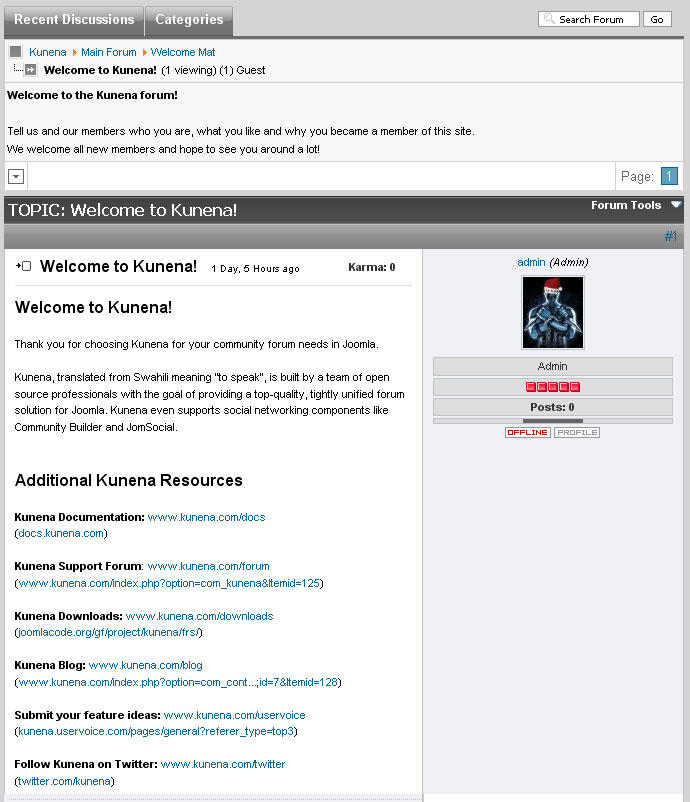
A simple question i have is whether the profile box shown in a thread can be re-positioned to the left instead of the default right position? Does this require changes to the CSS and if so, can someone help assist in what this changes are?
No look, it's really easy. You have to edit the message.php in the template default_ex . The message box and the avatar box are in 1 table, with 2 columns and 5 rows (tr). And every row has two cells (td). All the left cells are called <td class = "fb-msgview-left-c"> or <td class = "fb-msgview-left-b"> and all right cells are called <td class = "fb-msgview-right-c" > or <td class = "fb-msgview-right-b" >.
Changing <td class = "fb-msgview-right-c"> with <td class = "fb-msgview-left-c"> within the same row (tr) and this in all 5 rows will switch the Columns and the avatar box is on left and the message box is on right side.
For kunena 1.07b i have done it, it is in the attached file. Just override the existing message.php (backup before!) in templates/default_ex
Please Log in or Create an account to join the conversation.
17 years 2 months ago #5083
by Andreaz
Replied by Andreaz on topic Re:Profile Positioning
your file doesn't work with Kunena 1.0.8 for me. And I tried again to fix the positioning myself. I tried all kind of ways changing sides and it doesn't work. All I get is wider profile side...

Please Log in or Create an account to join the conversation.
Time to create page: 0.255 seconds