
- Posts: 934
- Thank you received: 5
Kunena 7.0.4 Released
The Kunena team has announce the arrival of Kunena 7.0.4 [K 7.0.4] in stable which is now available for download as a native Joomla extension for J! 5.4.x/6.0.x. This version addresses most of the issues that were discovered in K 6.2 / K 6.3 / K 6.4 and issues discovered during the last development stages of K 7.0
This category contains miscellaneous, uncategorised user contributions, (templates, modules, plugins and hacks) relating to older versions of Kunena that are no longer supported.
This category may also contain a few topics relating to K 1.6 that may have been moved here possibly by mistake.
The topics in this category are for historical interest only. Owing to the structural differences between K 1.6 and K 1.7, these ideas in these topics will not work with later versions and, for that reason, the topics are locked.
This category may also contain a few topics relating to K 1.6 that may have been moved here possibly by mistake.
The topics in this category are for historical interest only. Owing to the structural differences between K 1.6 and K 1.7, these ideas in these topics will not work with later versions and, for that reason, the topics are locked.
Question Web 2.0 Templates for Kunena
- johnnydement
-

- Offline
- Elite Member
-

Less
More
17 years 2 months ago #7216
by johnnydement
Replied by johnnydement on topic Re:Web 2.0 Templates for Kunena
Spock, I really like the template your using for your site forums, I hope you disclose it too someday 
Please Log in or Create an account to join the conversation.


17 years 2 months ago #7255
by Spock
Replied by Spock on topic Re:Web 2.0 Templates for Kunena
I did it's the MOClite template and can be downloaded on my site.
Please Log in or Create an account to join the conversation.
17 years 1 month ago - 17 years 1 month ago #8284
by VReyes
Replied by VReyes on topic Re:Web 2.0 Templates for Kunena
Thanks for the dark template.
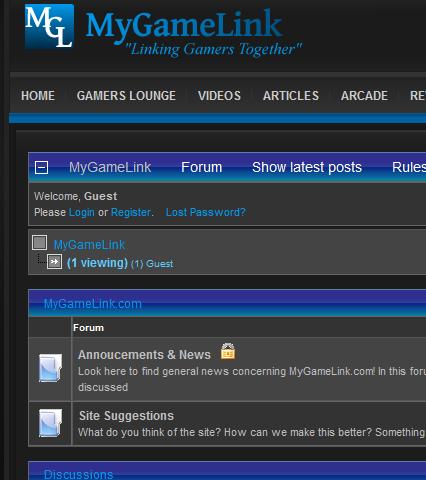
Last edit: 17 years 1 month ago by VReyes.
Please Log in or Create an account to join the conversation.
- bubbawubba
-

- Offline
- Junior Member
-

Less
More
- Posts: 19
- Thank you received: 0
17 years 2 weeks ago #12414
by bubbawubba
Replied by bubbawubba on topic Re:Web 2.0 Templates for Kunena
I am testing the MOCLite template
I am wondering if there is a way to improve the icons.
1. The text is VERY BOLD
2. The same icons are above and below the message. I would like to see the icons only below the message.
3. It seems that the icons are divided into two columns. Would it be possible to have all the icons in one row below the message?
Thanks
I am wondering if there is a way to improve the icons.
1. The text is VERY BOLD
2. The same icons are above and below the message. I would like to see the icons only below the message.
3. It seems that the icons are divided into two columns. Would it be possible to have all the icons in one row below the message?
Thanks
Please Log in or Create an account to join the conversation.
- grumblemarc
-

- Offline
- Elite Member
-
- Still making trouble
Less
More
- Posts: 1107
- Thank you received: 3
17 years 2 weeks ago #12415
by grumblemarc
We love stars on the Joomla Extension Directory .
Replied by grumblemarc on topic Re:Web 2.0 Templates for Kunena
I hope ou get a response. His site is down.
We love stars on the Joomla Extension Directory .
Please Log in or Create an account to join the conversation.
17 years 2 weeks ago - 17 years 2 weeks ago #12464
by Spock
Replied by Spock on topic Re:Web 2.0 Templates for Kunena
bubbawubba wrote:
bubbawubba,
I'll try to answer you as best i can. Remember that these are based on and are identical to the default_ex template and is only a different style sheet and icons! I didn't touch the PHP layout files.
1. I've attached the blank icons as they appear in the template directory. They're in a zip file and as .PNG files. So you can add whatever font suits your template and can scale them down if you wish (something i should have done).
2. These icons aren't the "same". the ones on top refer to the topic as a whole and the ones below are just for each individual post. It's important that you keep both.
3. Only administrators or moderators will see two rows of icons - not registered board members(so in this instance I don't think its that important) . The second row of icons are for board administration tasks. However if you want tosort this out I did have a look at this before and as far I can remember it can be changed in the layout.php, but then you'll have to have a very wide template to deal with all icons in one row!
and my site is back to normal again
Reagrds
Mark
I am testing the MOCLite template
I am wondering if there is a way to improve the icons.
1. The text is VERY BOLD
2. The same icons are above and below the message. I would like to see the icons only below the message.
3. It seems that the icons are divided into two columns. Would it be possible to have all the icons in one row below the message?
Thanks
bubbawubba,
I'll try to answer you as best i can. Remember that these are based on and are identical to the default_ex template and is only a different style sheet and icons! I didn't touch the PHP layout files.
1. I've attached the blank icons as they appear in the template directory. They're in a zip file and as .PNG files. So you can add whatever font suits your template and can scale them down if you wish (something i should have done).
2. These icons aren't the "same". the ones on top refer to the topic as a whole and the ones below are just for each individual post. It's important that you keep both.
3. Only administrators or moderators will see two rows of icons - not registered board members(so in this instance I don't think its that important) . The second row of icons are for board administration tasks. However if you want tosort this out I did have a look at this before and as far I can remember it can be changed in the layout.php, but then you'll have to have a very wide template to deal with all icons in one row!
and my site is back to normal again
Reagrds
Mark
Last edit: 17 years 2 weeks ago by Spock. Reason: added a bit more detail
Please Log in or Create an account to join the conversation.
Time to create page: 0.339 seconds