


- Posts: 3
- Thank you received: 0
Kunena 7.0.5 & Kunena 6.4.11 – Security Updates Released
The Kunena team has announce the arrival of Kunena 7.0.5 [K 7.0.5] in stable which is now available for download as a native Joomla extension for J! 5.4.x/6.0.x. This version addresses most of the issues that were discovered in K 6.2 / K 6.3 / K 6.4 and issues discovered during the last development stages of K 7.0.
The Kunena team is also pleased to announce the eleventh version of Kunena 6.4, a native Joomla extension for Joomla! 5.0, 5.1, 5.2, 5.3, 5.4 and 6.0.
Before posting in this category, please read sticky topics and, as general background,
My Joomla site template makes a mess of Kunena
.
If you have questions about third-party templates, please use the User-written Templates category or contact the author directly. This category should only be used for questions about templates developed and supported by the Kunena project.
If you have questions about third-party templates, please use the User-written Templates category or contact the author directly. This category should only be used for questions about templates developed and supported by the Kunena project.
Question Change font size in posts
15 years 5 months ago - 15 years 5 months ago #78187
by gersan
Change font size in posts was created by gersan
hi,
I simply want to change the font-size of messages in a thread.
By using the search function and the faq section I know that I've to change the CSS file 'kunena.forum-min.css' in the folder 'components/com_kunena/template/default_ex' (in my case 'office'). I found the file, but I couldn't manage to change the font size of messages (because I don't find the exact command/function for this purpose).
Thanks in advance,
gerhard
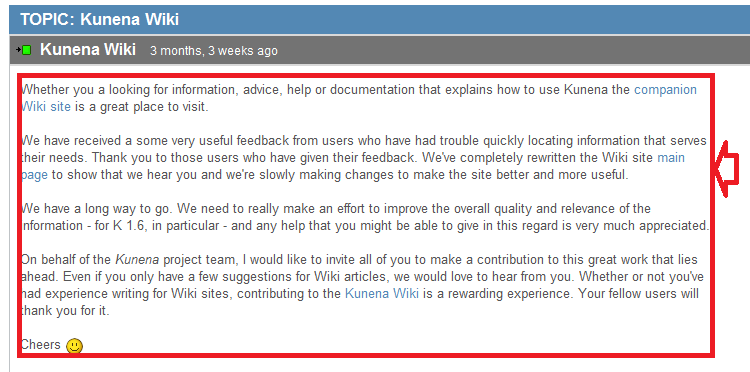
ps I attached a pic to illustrate this problem
/edit: sry for posting in wrong category, I noticed that there's also a template section :blush:
I simply want to change the font-size of messages in a thread.
By using the search function and the faq section I know that I've to change the CSS file 'kunena.forum-min.css' in the folder 'components/com_kunena/template/default_ex' (in my case 'office'). I found the file, but I couldn't manage to change the font size of messages (because I don't find the exact command/function for this purpose).
Thanks in advance,
gerhard
ps I attached a pic to illustrate this problem
/edit: sry for posting in wrong category, I noticed that there's also a template section :blush:
Last edit: 15 years 5 months ago by gersan.
Please Log in or Create an account to join the conversation.


15 years 5 months ago #78200
by xillibit
I don't provide support by PM, because this can be useful for someone else.
Replied by xillibit on topic Re: Change font size in posts
Hello,
Do you tried to look with firebug (firefox extension) to see if you can find something ?
If you can't, just provide the link to your site here and maybe someone will look it for you
Do you tried to look with firebug (firefox extension) to see if you can find something ?
If you can't, just provide the link to your site here and maybe someone will look it for you
I don't provide support by PM, because this can be useful for someone else.
The following user(s) said Thank You: gersan
Please Log in or Create an account to join the conversation.
15 years 5 months ago - 15 years 5 months ago #78201
by gersan
Replied by gersan on topic Re: Change font size in posts
hi,
yeah I tried to look it up with firebug, but I couldn't find it.
here the link to an example post - link
thx for your help (:
ps
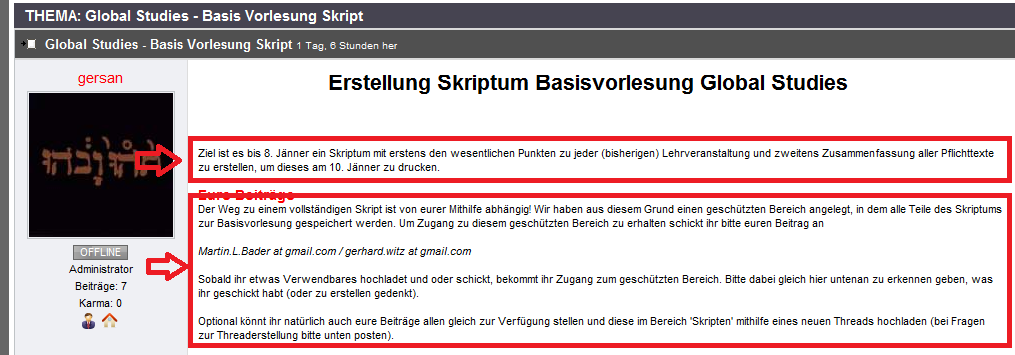
to specify the text I'm referring to I added a pic again
yeah I tried to look it up with firebug, but I couldn't find it.
here the link to an example post - link
thx for your help (:
ps
to specify the text I'm referring to I added a pic again
Last edit: 15 years 5 months ago by gersan.
Please Log in or Create an account to join the conversation.


15 years 5 months ago - 15 years 5 months ago #78205
by baazza
رضيت بالله ربا وبالاسلام دينا وبمحمد صلى الله عليه وسلم رسولا
testify & witness that there is no god worthy of being worshipped other than Allah and that Mohammad is His Messenger
Replied by baazza on topic Re: Change font size in posts
Hi
search for this code
#Kunena div.kmsgbody {
display: table;
margin-top: 5px;
min-height: 180px;
padding: 10px 0 0;
table-layout: fixed;
width: 100%;
}
In the following path
components/com_kunena/template/office/css/kunena.forum-min.css
And make it like this
#Kunena div.kmsgbody {
display: table;
margin-top: 5px;
font-size: 14px;
min-height: 180px;
padding: 10px 0 0;
table-layout: fixed;
width: 100%;
}
Regards : baazza
search for this code
#Kunena div.kmsgbody {
display: table;
margin-top: 5px;
min-height: 180px;
padding: 10px 0 0;
table-layout: fixed;
width: 100%;
}
In the following path
components/com_kunena/template/office/css/kunena.forum-min.css
And make it like this
#Kunena div.kmsgbody {
display: table;
margin-top: 5px;
font-size: 14px;
min-height: 180px;
padding: 10px 0 0;
table-layout: fixed;
width: 100%;
}
Regards : baazza
رضيت بالله ربا وبالاسلام دينا وبمحمد صلى الله عليه وسلم رسولا
testify & witness that there is no god worthy of being worshipped other than Allah and that Mohammad is His Messenger
Last edit: 15 years 5 months ago by baazza.
The following user(s) said Thank You: gersan
Please Log in or Create an account to join the conversation.
15 years 5 months ago - 15 years 5 months ago #78208
by gersan
Replied by gersan on topic Re: Change font size in posts
thx baazza, it did work
does anybody know how I can disable the scrollbars which appear now?
/edit:
I solved the problem, I'll post it because it may help other users:
I changed the following code in the css file 'kunena.forum-min.css' (path, see above) from
to
I don't know if this is the proper solution for every site, but it works fine for my site (:
does anybody know how I can disable the scrollbars which appear now?
/edit:
I solved the problem, I'll post it because it may help other users:
I changed the following code in the css file 'kunena.forum-min.css' (path, see above) from
Code:
#Kunena div.kmsgbody div.kmsgtext{
overflow:auto;
word-wrap:break-word;}
to
Code:
#Kunena div.kmsgbody div.kmsgtext{
overflow:visible;
word-wrap:break-word;}
I don't know if this is the proper solution for every site, but it works fine for my site (:
Last edit: 15 years 5 months ago by gersan.
Please Log in or Create an account to join the conversation.
Time to create page: 0.257 seconds