
Kunena 7.0.4 Released
The Kunena team has announce the arrival of Kunena 7.0.4 [K 7.0.4] in stable which is now available for download as a native Joomla extension for J! 5.4.x/6.0.x. This version addresses most of the issues that were discovered in K 6.2 / K 6.3 / K 6.4 and issues discovered during the last development stages of K 7.0
Topics that are moved into this category are generally considered to be closed. Users may want to add additional information but these topics should not be resurrected in order to discuss new problems or unrelated matters.
Question K 1.6 RC2: IE7 Certain search terms at Kunena.com give blank, grey "boxes" without message details


15 years 7 months ago - 15 years 7 months ago #60067
by thetoast

K 1.6 RC2: IE7 Certain search terms at Kunena.com give blank, grey "boxes" without message details was created by thetoast
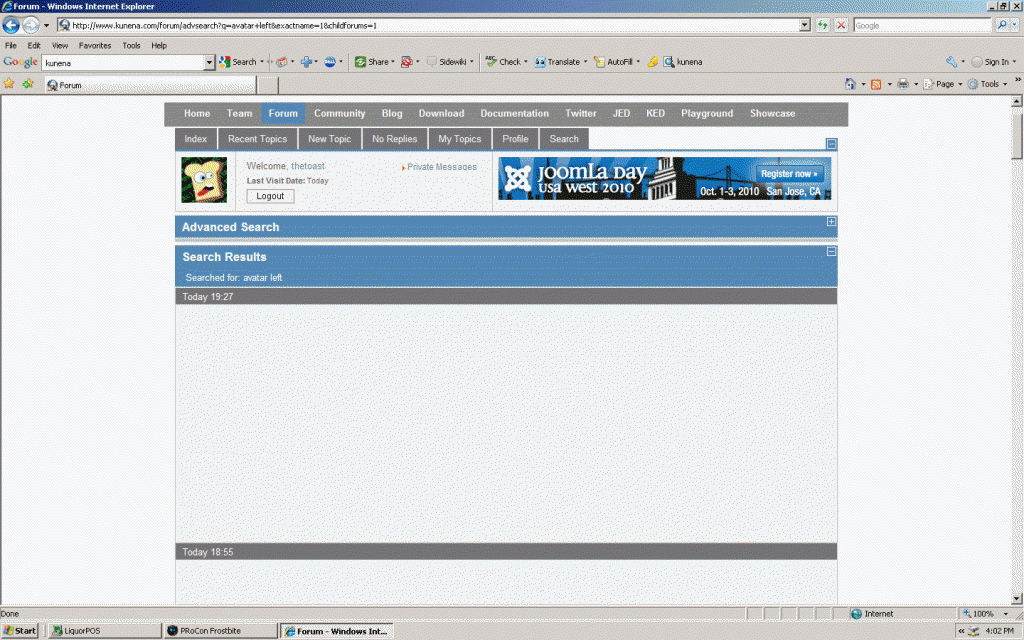
Here is a pic of what happens when i search "Avatar left"
Last edit: 15 years 7 months ago by sozzled. Reason: Changed subject to improve the relevance in searching
Please Log in or Create an account to join the conversation.


15 years 7 months ago #60072
by sozzled
Blue Eagle vs. Crypsis reference guide
Read my blog and

Replied by sozzled on topic Re: K 1.6 RC2: Searching at Kunena.com gives blank, grey "boxes" without message details
Thank you for your report of this problem. As you have probably noticed, when your enquiries started in
I want to upgrade to K 1.6 RC2. Can I copy and use my K 1.5 template CSS?
that topic fractured into other matters that had nothing to do with the original subject. That is why I asked for information about what kinds of problems you are having with searching at Kunena.com.
I don't know why you are having these problems but I think that this is a very important issue and that's why I think we need to deal with it properly. It's not much good if the search feature works for me but it doesn't work for you or for others! :ohmy:
I tried the same search (for "avatar left") and I didn't get "blank grey boxes with no text" like you have shown in the above image. We must ask ourselves why this is happening.
Does this happen with every search that you make at Kunena.com?
Does this also happen when you search your own forum?
What web browser are you using?
I would like us to get to the bottom of this issue, please.
I don't know why you are having these problems but I think that this is a very important issue and that's why I think we need to deal with it properly. It's not much good if the search feature works for me but it doesn't work for you or for others! :ohmy:
I tried the same search (for "avatar left") and I didn't get "blank grey boxes with no text" like you have shown in the above image. We must ask ourselves why this is happening.
Does this happen with every search that you make at Kunena.com?
Does this also happen when you search your own forum?
What web browser are you using?
I would like us to get to the bottom of this issue, please.
Blue Eagle vs. Crypsis reference guide
Read my blog and
Please Log in or Create an account to join the conversation.
15 years 7 months ago #60073
by thetoast
Right now i am at a work compuetr that runs IE7. That's what returns blank boxes. I haven't tried from my home computer to search at Kunena.com. I use Firefox at home.
On my personal site i use 1.5.12 and the search works fine.
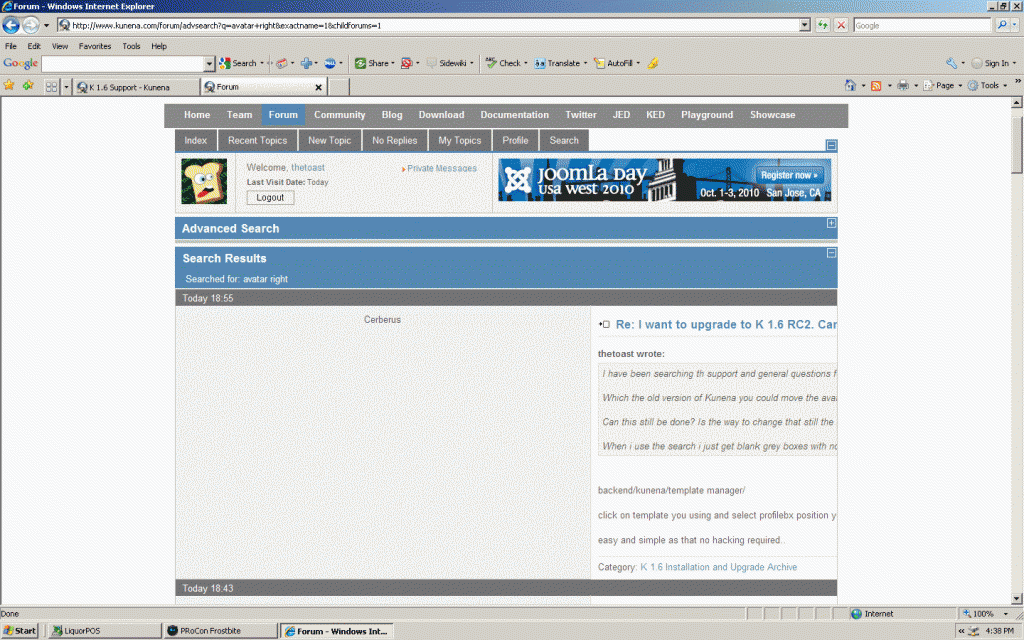
If i just search the word "avatar" then i see text also. If i search "avatar right" Search's for anything that does NOT include the words "left" or "right" work fine
this happens
Replied by thetoast on topic Re: K 1.6 RC2: Searching at Kunena.com gives blank, grey "boxes" without message details
What web browser are you using?
Right now i am at a work compuetr that runs IE7. That's what returns blank boxes. I haven't tried from my home computer to search at Kunena.com. I use Firefox at home.
On my personal site i use 1.5.12 and the search works fine.
If i just search the word "avatar" then i see text also. If i search "avatar right" Search's for anything that does NOT include the words "left" or "right" work fine
this happens
Please Log in or Create an account to join the conversation.
15 years 7 months ago - 15 years 7 months ago #60074
by sozzled
Blue Eagle vs. Crypsis reference guide
Read my blog and
Replied by sozzled on topic Re: K 1.6 RC2: Searching at Kunena.com gives blank, grey "boxes" without message details
Thank you for your prompt reply. I would like us to nail this issue completely.
I have tried the search (both as a logged-in user and as a guest) with Firefox 3.6.8 and Internet Explorer 8 (8.0.7600.16385) with no issues like you have described. I would be interested in hearing from other users of IE7 what their experiences are, too.
I have tried the search (both as a logged-in user and as a guest) with Firefox 3.6.8 and Internet Explorer 8 (8.0.7600.16385) with no issues like you have described. I would be interested in hearing from other users of IE7 what their experiences are, too.
Blue Eagle vs. Crypsis reference guide
Read my blog and
Last edit: 15 years 7 months ago by sozzled.
Please Log in or Create an account to join the conversation.
15 years 7 months ago #60083
by sozzled
Blue Eagle vs. Crypsis reference guide
Read my blog and
Replied by sozzled on topic Re: K 1.6 RC2: IE7 Certain search terms at Kunena.com give blank, grey "boxes" without message details
What we've been able to establish is this problem seems only to affect IE7 users.
The problem only seems to affect certain search terms - the following searches produce blank grey "boxes":
avatar left
avatar right
profile left
profile right
profile top
But ... these searches succeed:
profile bottom
sozzled right
The problem only seems to affect certain search terms - the following searches produce blank grey "boxes":
avatar left
avatar right
profile left
profile right
profile top
But ... these searches succeed:
profile bottom
sozzled right
Blue Eagle vs. Crypsis reference guide
Read my blog and
Please Log in or Create an account to join the conversation.
15 years 7 months ago #60085
by thetoast
Replied by thetoast on topic Re: K 1.6 RC2: IE7 Certain search terms at Kunena.com give blank, grey "boxes" without message details
I can confirm that this does NOT happen when i use Firefox from home.
Please Log in or Create an account to join the conversation.
Time to create page: 0.250 seconds