


- Posts: 1
- Thank you received: 0
Kunena 6.4.13 Released
The Kunena team has announce the arrival of Kunena 6.4.13 [6.4.13] in stable which is now available for download as a native Joomla extension for J! 5.4.x/6.0.x./6.1.x. This version addresses most of the issues that were discovered in K 6.2 / K 6.3 / K 6.4 and issues discovered during the last development stages of K 6.0
Hint: This version is primarily intended to facilitate an upgrade if Joomla was first updated to version 6.1 before Kunena was up to dated.
Posting guide:
For a quick response, please give us as much information that helps us to understand the problem.
This category is for:
Please read the guides posted as sticky topics in this category.
Also refer to the FAQs menu tab above for frequently asked questions.
Note: Support for, and all questions relating to, K 1.7 will cease on 31 August 2012. Our advice is, if you are having problems with K 1.7, to upgrade to K 2.x as soon as practicable,
For a quick response, please give us as much information that helps us to understand the problem.
| Please read first What information should I include when I ask for help (including how to post my configuration report)? | 
|
- Kunena 1.7 product-related issues only; and
- when your Kunena forum does not work.
- to request adding to or removing from the standard features of Kunena;
- if your question is of a commonly asked "how to" nature;
- if you are not using the latest stable release of Kunena; or
- ▪ general Joomla or website adminstration matters
Please read the guides posted as sticky topics in this category.
Also refer to the FAQs menu tab above for frequently asked questions.
Note: Support for, and all questions relating to, K 1.7 will cease on 31 August 2012. Our advice is, if you are having problems with K 1.7, to upgrade to K 2.x as soon as practicable,
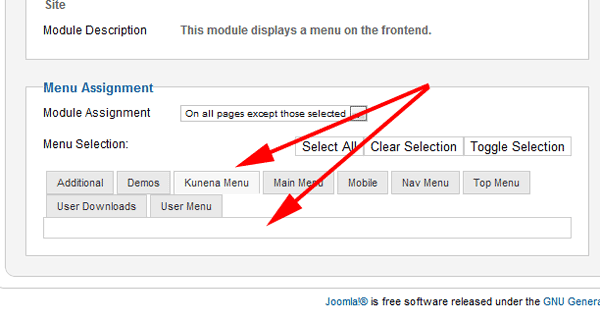
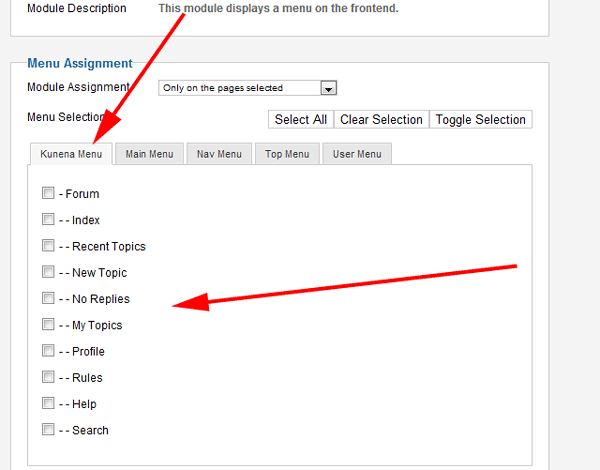
Question menu assignment tab empty after J1.7 to 2.5 update


Time to create page: 0.275 seconds