
Kunena 7.0.9 & Kunena 6.4.14 – Security Updates Released
The Kunena team has announce the arrival of Kunena 7.0.9 [K 7.0.9] in stable which is now available for download as a native Joomla extension for J! 5.4.x/6.0.x./6.1.x. This version addresses most of the issues that were discovered in K 6.2 / K 6.3 / K 6.4 and issues discovered during the last development stages of K 7.0
Question Login Form when/when not


I don't understand your problem (or problems). I don't know what you want to modify or why you want to modify it. I haven't looked at each of the three files that contain the language strings (and, by the way, "yourlanguagetype" is not meant to be taken literally) but the value for COM_KUNENA_LOGIN_FORUM should be in one of them. I could be wrong.
You could help us in a couple of ways to understand your current difficulties better. What is the default language of your website? Can you post your K 1.6 configuration report so that we can see what version of Kunena you are using (as well as a few other things)?
Blue Eagle vs. Crypsis reference guide
Read my blog and

Please Log in or Create an account to join the conversation.
I've seen your configuration report elsewhere, there's no need to post it again. I'm sorry, it took me a while to piece together these two pieces of information.sozzled wrote: You could help us in a couple of ways to understand your current difficulties better. What is the default language of your website? Can you post your K 1.6 configuration report so that we can see what version of Kunena you are using (as well as a few other things)?
The problem that I have with this issue is that I cannot find the actual site that illustrates the kinds of problems under discussion in this topic. This is because the K 1.6 configuration report only provides information about the domain where the Joomla site is installed, not the actual sub-folder of that domain (if that is where Joomla has been installed). For example, suppose I have a website at mysite.com.au and, let's say, that this site does not even have Joomla installed; and let's say that I installed Joomla in mysite.com.au/myjoomlasite , then if I produce a Kunena configuration report it will show mysite.com.au . Misleading, isn't it?
So that's a possibility in this case and it makes it a little more difficult for us to tackle the issues effectively and in an efficient manner.Are we, therefore, dealing with a Joomla installation that is located in a sub-folder?
Blue Eagle vs. Crypsis reference guide
Read my blog and
Please Log in or Create an account to join the conversation.


I blundered and replaced the content instead of using the information as the basis for a response! :blush: Please accept my apologies for removing what you wrote; it was not my deliberate intention to do this. There is a lot of useful information posted that I cannot now restored
Even so, thank you for solving the mystery. Looking at the page
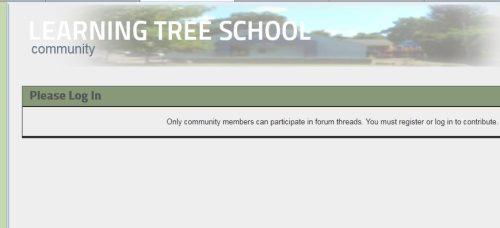
Is this what you want? I can show you how to remove this "restriction" if you want to allow people to see your forum but not be able to post messages unless they login. The simplest way to do that is to go to your forum configuration page and restore the default configuration settings (there is an option to do that on the top right corner of the Kunena configuration page). Would this help? :dry:
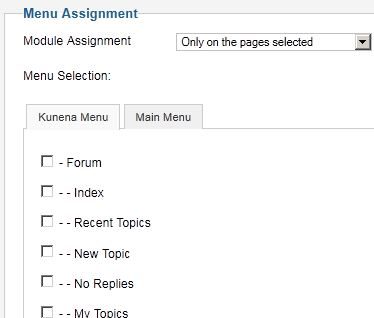
Please Log in or Create an account to join the conversation.
I'm having a really bad time with this topic. :blush:
Blue Eagle vs. Crypsis reference guide
Read my blog and
Please Log in or Create an account to join the conversation.
Blue Eagle vs. Crypsis reference guide
Read my blog and
Please Log in or Create an account to join the conversation.
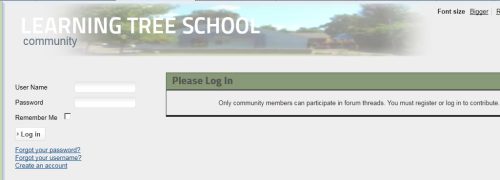
I do want the restriction that only logged-in members can view the forum, as seen here:
www.kunena.org/forum/168-k-16-support/96.../post?do=reply#96986
I want to know how to edit the text in the box on that page, so I can put a link to the login form (or include the login form in that outlined text box)?
Because as that page is currently configured, the message says "you must register or log in", but there is nowhere to actually register or log in.
thanks for your time.
Please Log in or Create an account to join the conversation.