
Kunena 7.1.1 & Kunena 6.4.17 – Security Updates Released
The Kunena team has announce the arrival of Kunena 7.1.1 [K 7.1.1] in stable which is now available for download as a native Joomla extension for J! 5.4.x/6.0.x./6.1.x./6.2.x This version addresses most of the issues that were discovered in K 6.2 / K 6.3 / K 6.4 / K7.0 and issues discovered during the last development stages of K 7.1
Just a reminder: K6.4.17 receives only securities fixes until end of 2026, so it's advised for users to upgrade to K7.1.
Question [Merged topic]The great Mootools/Javascript conflict discussion


The solution to this problem was given to us by the good folks at Rockettheme; the answer is contained in this discussion topic. Alternatively, you can obtain the same answer from the Rockettheme website.IvoBe wrote: Hallo, I have the same Problem. I use Crystalline template from Rockettheme....
Blue Eagle vs. Crypsis reference guide
Read my blog and


August 2010 template. To the contrary, RT was a first template club to upgrade most of the templates and extensions they ever released.
Usually, the biggest problem lay down in a plugin/module of some garage developer you have installed long time ago, and forgot about it.
The situation becomes even more complicated, when you dont know what you have installed, lol, which is proven to be true in many examples. Sadly.
But, I agree with you, WinuxFF, that many users install dozens of extra "bloatware" items on their websites without knowing what they installed or why they installed them and this is often the reason why problems like this come along.
And so, in case people have misunderstood, when I wrote earlier
I did not mean that Rockettheme templates were, in any way, not "best-practice" Mootools-compliant or unsafe to use with Kunena or Joomla. I was trying to get the message across that, sometimes, users need to look outside Kunena for the solutions to their problems. In the case of Rockettheme templates there are solutions for those problems.The most likely reason that you're having all the problems that you've been having is because you are using the Rockettheme Zephyr template. Please try searching these forums for Rockettheme-related issues.
Blue Eagle vs. Crypsis reference guide
Read my blog and

The pic below shows that most of the fields cannot be edited.
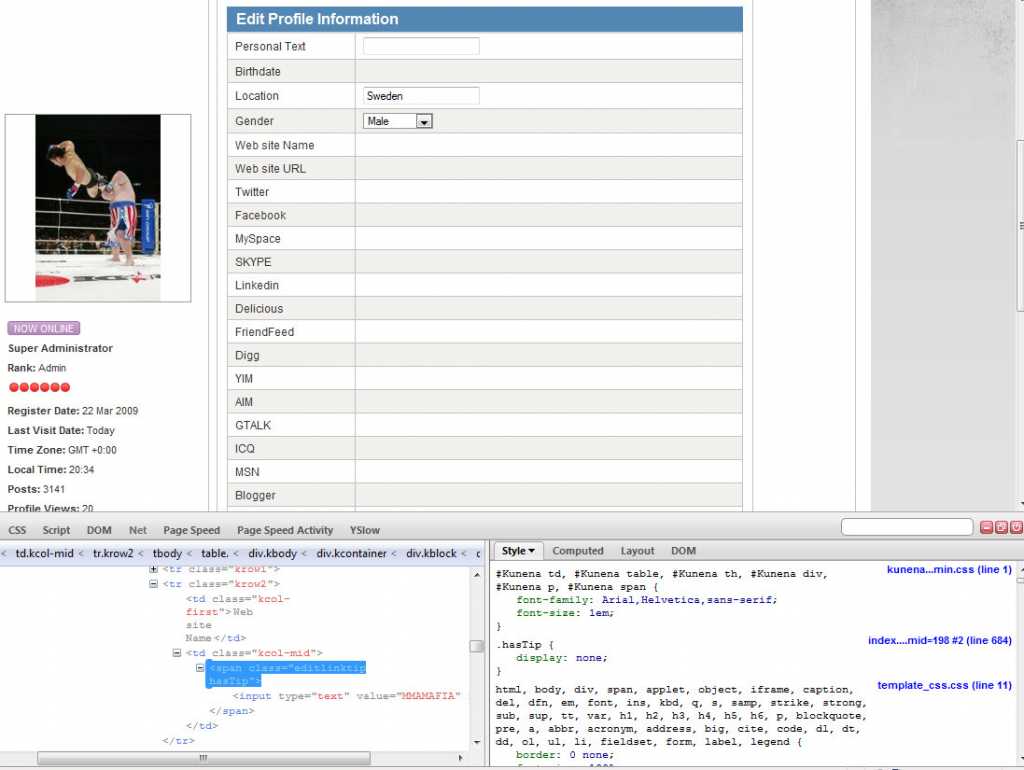
The problem is:
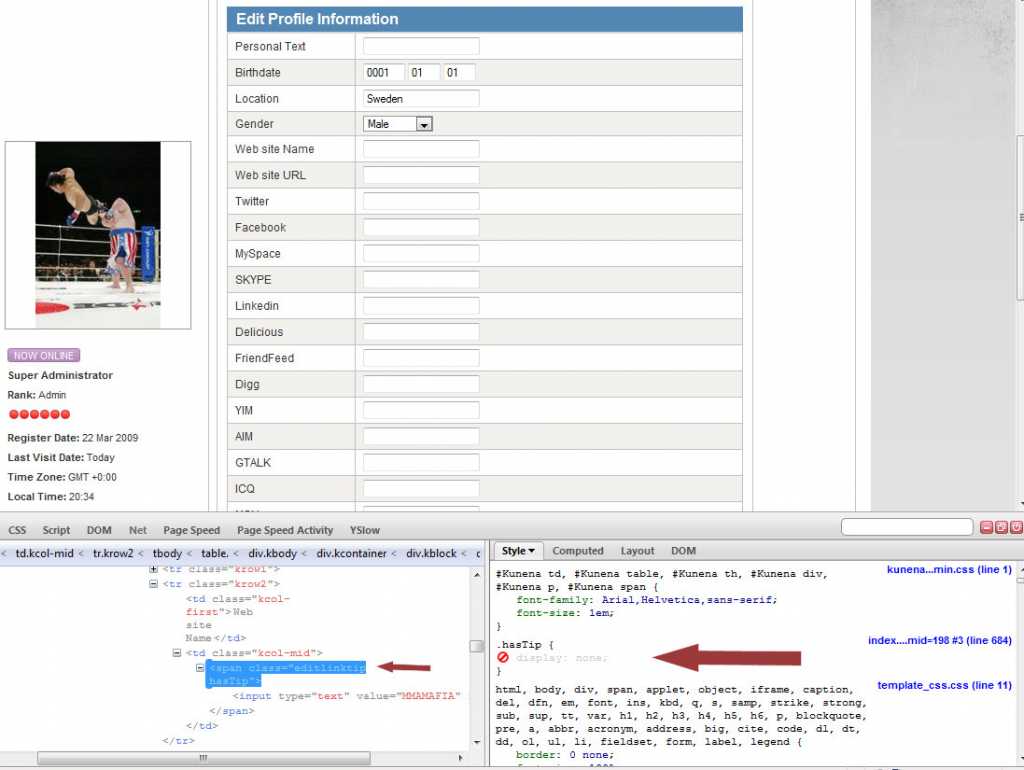
.hasTip {
display:none;
}
As you can see below, remove display:none; and it works, problem is I can't find the css file that is causing it. Ill have to look into it more
/public_html/components/com_kunena/template/default/profile/
Open & edit the file editprofile.php with something like notepad++, do a find and replace, replace class="editlinktip hasTip" with nothing.
Always backup your files before doing something like this.
I don't think this a Kunena problem, I think its another css file that is causing the problem.
For some users, the problem is that they cannot use the Edit link on the profile page. This may have something to do with Rockettheme templates.
For some other users, the problem is that they cannot change the information on other users' profiles. That's normal. Administrators can change some details of another user, but only through the backend.
For some other users, they can use the Edit link on the profile page but they can't change some data. There were issues involved in earlier versions of Kunena that affected this.
For other users, the user profile does not fit within the Joomla site template and they can't see how or where to change anything on the user profile. This is something that we're trying to address.
All of these issues have been, at one time or another, raised in this discussion topic. All of them, as you can plainly see, are different issues.
Blue Eagle vs. Crypsis reference guide
Read my blog and