


- Posts: 107
- Thank you received: 1
Kunena 7.0.4 Released
The Kunena team has announce the arrival of Kunena 7.0.4 [K 7.0.4] in stable which is now available for download as a native Joomla extension for J! 5.4.x/6.0.x. This version addresses most of the issues that were discovered in K 6.2 / K 6.3 / K 6.4 and issues discovered during the last development stages of K 7.0
Merged [Merged topic] Where is the preview button?
15 years 9 months ago - 15 years 9 months ago #52705
by Randal
[Merged topic] Where is the preview button? was created by Randal
Small suggestions to Kunena 1.6 about usability.
1. Topic icons should be clickable, like those in avatar gallery are. We should choosing them by clicking on image/icon not only on radio button.
2. Why remove PREVIEW button beside Submit Cancel button?? I know that is now in editor toolbar but this is most using option for many so should be close Submit button to check before sending it to world.
I prefer that should be the same: "Display a live message preview pane below the edit area" and maybe after click can be a little bit enlarge like it was in K1.5? Or even auto height to message if it possible?
3. Last thing is missing class in ux of admin panel. Some part of styling is inline in code so I cannot override that part by css. Please see on screens.
Code inline:
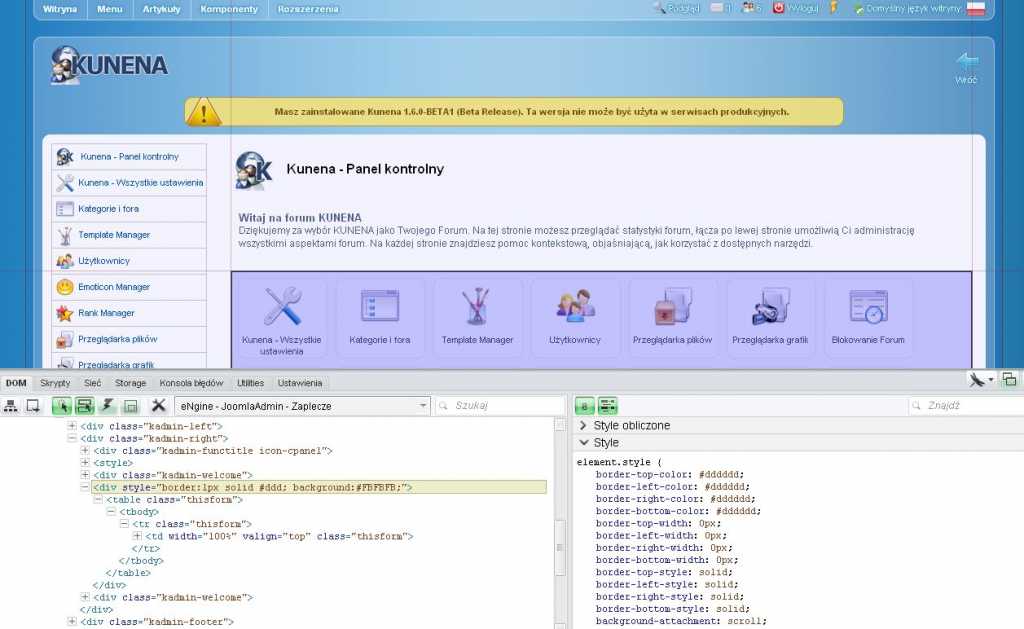
Give incomplete final result styling:
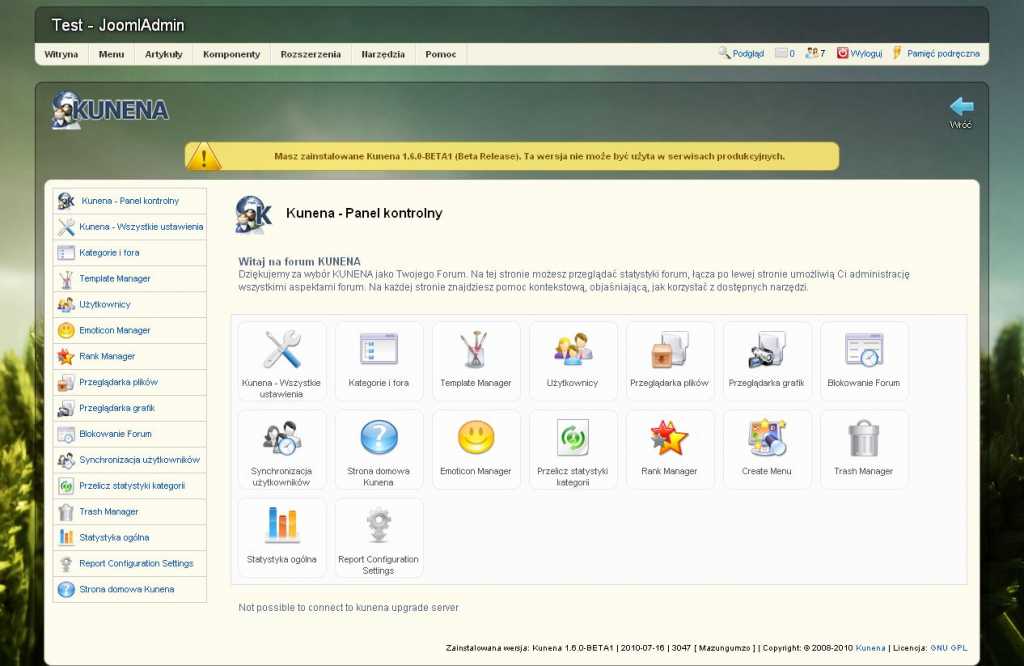
Those icons with defined overriding css classes looks like this:
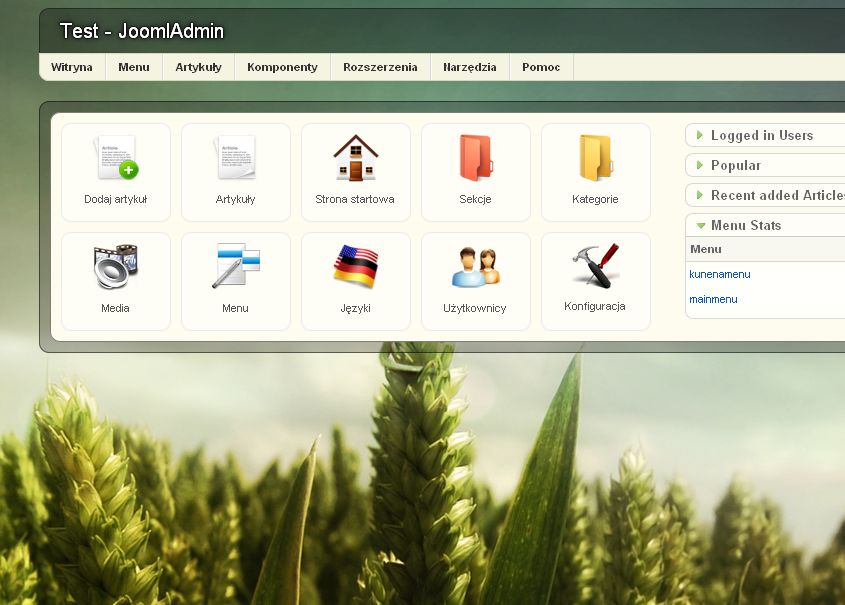
Thank you Kunena Team for greatest joomla forum ever done! Soon I add to you Polish translation K1.6.
1. Topic icons should be clickable, like those in avatar gallery are. We should choosing them by clicking on image/icon not only on radio button.
2. Why remove PREVIEW button beside Submit Cancel button?? I know that is now in editor toolbar but this is most using option for many so should be close Submit button to check before sending it to world.
I prefer that should be the same: "Display a live message preview pane below the edit area" and maybe after click can be a little bit enlarge like it was in K1.5? Or even auto height to message if it possible?
3. Last thing is missing class in ux of admin panel. Some part of styling is inline in code so I cannot override that part by css. Please see on screens.
Code inline:
Give incomplete final result styling:
Those icons with defined overriding css classes looks like this:
Thank you Kunena Team for greatest joomla forum ever done! Soon I add to you Polish translation K1.6.
Last edit: 15 years 9 months ago by sozzled. Reason: Merged from several discussion; changed subject to improve search relevance; moved to different category
Please Log in or Create an account to join the conversation.


15 years 9 months ago #52901
by sozzled
Blue Eagle vs. Crypsis reference guide
Read my blog and

Replied by sozzled on topic Re: Topic icons (radio buttons) & Preview button
1) Good idea
2) Also a good idea. I have to agree that the top/bottom and side-by-side preview buttons are not intuitively located on the message editing screen and they might be better located nearer to the Cancel/Submit buttons.
3) I don't understand this because I don't understand the term "ux of admin panel". Perhaps someone else can explain this better?
2) Also a good idea. I have to agree that the top/bottom and side-by-side preview buttons are not intuitively located on the message editing screen and they might be better located nearer to the Cancel/Submit buttons.
3) I don't understand this because I don't understand the term "ux of admin panel". Perhaps someone else can explain this better?
Blue Eagle vs. Crypsis reference guide
Read my blog and
Please Log in or Create an account to join the conversation.
15 years 9 months ago #52905
by Randal
Replied by Randal on topic Re: Topic icons (radio buttons) & Preview button
ux - in for me means: user interface. This small issue I mentioned is with hard coded style of quick icons in kunena backend. In html/php should be only css class/id and style should be moved to css file like in other places backend.
ex.
<div id="kadmin">
<div class="kadmin-left">
<div id="kadmin-menu">
ex.
<div id="kadmin">
<div class="kadmin-left">
<div id="kadmin-menu">
Please Log in or Create an account to join the conversation.


15 years 9 months ago #53074
by Matias
Replied by Matias on topic Re: Topic icons (radio buttons) & Preview button
3) I've moved css into it's own file. Check beta1
Please Log in or Create an account to join the conversation.
- Groenteman
-

- Offline
- Junior Member
-

Less
More
- Posts: 73
- Thank you received: 2
15 years 9 months ago #53181
by Groenteman
Replied by Groenteman on topic Where is the preview button?
I can't seem to find the preview button.
Not even in this board. Where is it?
Groenteman
Not even in this board. Where is it?
Groenteman
Please Log in or Create an account to join the conversation.


15 years 9 months ago #53182
by @quila
Replied by @quila on topic Re: Where is the preview button?
Try this two buttons
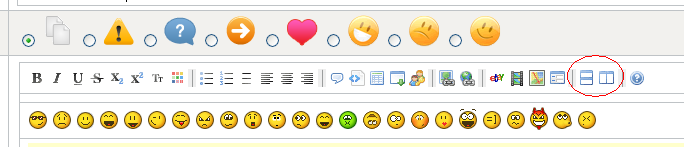
Regards
Regards
The following user(s) said Thank You: thawornj, Groenteman
Please Log in or Create an account to join the conversation.
Time to create page: 0.495 seconds