


- Posts: 41
- Thank you received: 0
Kunena 7.0.8 Released
The Kunena team has announce the arrival of Kunena 7.0.8 [K 7.0.8] in stable which is now available for download as a native Joomla extension for J! 5.4.x/6.0.x./6.1.x. This version addresses most of the issues that were discovered in K 6.2 / K 6.3 / K 6.4 and issues discovered during the last development stages of K 7.0
Topics that are moved into this category are generally considered to be closed. Users may want to add additional information but these topics should not be resurrected in order to discuss new problems or unrelated matters.
Question how to make the Picture field bigger?
16 years 10 months ago - 16 years 10 months ago #30618
by dingbusan
how to make the Picture field bigger? was created by dingbusan
how to make the Picture field bigger? also there is no setting in the kunena backend, pls kindly help, thanks!
here is my site address: www.taiguoxin.com/component/option,com_k.../func,view/id,50/#51

here is my site address: www.taiguoxin.com/component/option,com_k.../func,view/id,50/#51
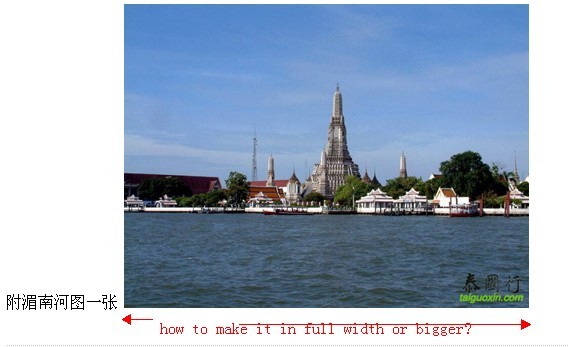
Last edit: 16 years 10 months ago by dingbusan.
Please Log in or Create an account to join the conversation.


16 years 9 months ago #33058
by qwerty
Replied by qwerty on topic Re:how to make the Picture field bigger?
I have the same question...
Any answer?
Any answer?
Please Log in or Create an account to join the conversation.


16 years 9 months ago #33069
by @quila
Replied by @quila on topic Re:how to make the Picture field bigger?
Hi guys,
go to Kunena Configutation and increase the "Textarea Width".
go to Kunena Configutation and increase the "Textarea Width".
Please Log in or Create an account to join the conversation.

16 years 9 months ago - 16 years 9 months ago #33197
by Hurr1c4n3
Replied by Hurr1c4n3 on topic Re:how to make the Picture field bigger?
Make it 10% bigger then the picture has to be.
Example: If you want the picture to be 700px the the textarea has to be 778px.
Example: If you want the picture to be 800px the the textarea has to be 889px.
Example: If you want the picture to be 700px the the textarea has to be 778px.
Example: If you want the picture to be 800px the the textarea has to be 889px.
Last edit: 16 years 9 months ago by Hurr1c4n3.
Please Log in or Create an account to join the conversation.
16 years 9 months ago #33245
by dingbusan
Replied by dingbusan on topic Re:how to make the Picture field bigger?
thanks very much for ur help! both of u
Please Log in or Create an account to join the conversation.
Time to create page: 0.243 seconds