
Kunena 7.0.8 Released
The Kunena team has announce the arrival of Kunena 7.0.8 [K 7.0.8] in stable which is now available for download as a native Joomla extension for J! 5.4.x/6.0.x./6.1.x. This version addresses most of the issues that were discovered in K 6.2 / K 6.3 / K 6.4 and issues discovered during the last development stages of K 7.0
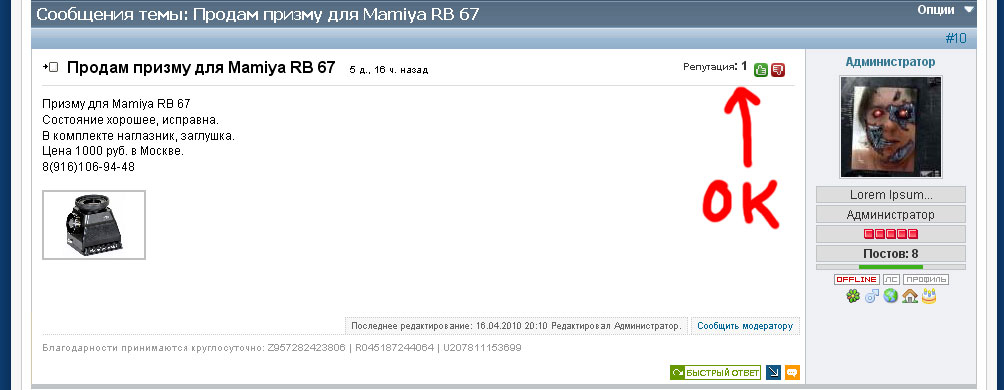
Question Not displayed correctly karma


In profile, it is biased and normally displayed on the forum!
I tried to replace the css from ninth in the pros is displayed normally, and drives off in the forum!
Attach file css
By the way how to remove the profile display login? To display only the username.


Sorry for my English.

Please Log in or Create an account to join the conversation.


#Kunena span.msgkarma {
color:#333333;
// float:right;
font-weight:bold;
padding-right:10px;
text-decoration:none;
white-space:nowrap;
}
For those people who won't get an ounce of sleep tonight unless this problem is fixed, I'm sorry but this isn't going to happen overnight. I'll leave this for someone else to look into. (This is, perhaps, another good reason why I have jettisoned the karma system from all my websites where I use Kunena)
Blue Eagle vs. Crypsis reference guide
Read my blog and

Please Log in or Create an account to join the conversation.
But you can also do with attachments and downloading images ...
Because in my opinion, compared with a forum SMF, in the forum Karma lacks these features:
1. Information as downloaded.
2. Prevent downloading of attachments for visitors.
3. Information who raised his karma.
4. Uploaded image by default does not compress, and when you do not show in the same window.
5. Incorrect code youtube videos
Thank you for sozzled CSS!
Sorry for my English.
Please Log in or Create an account to join the conversation.

Blue Eagle vs. Crypsis reference guide
Read my blog and
Please Log in or Create an account to join the conversation.


So, I wonder what is the filename that I can change it to place it where I want too.
One more question, by placing on this wished position, is there something else that Kunena would show at this wished position that I shouldn't place the karma on the left bottom?
Thanks in advance.
Kunena 2.0.4 | 2013-01-18 [ Pharmacopoeia ], J!1.5.25, rhuk_milkyway, CB 1.8.1, AUP 1.5.13, UddeIM 2.5 and Akeeba Backup 3.3.9
EsferaDoBem.com.br | iLucato.com.br | BemDoado.com.br
Please Log in or Create an account to join the conversation.
This discussion topic started a couple of months ago. It concerned one particular user's problem with K 1.5.11. I don't have a K 1.5.11 site where I can test this issue again. My first suggestion that you upgrade to K 1.5.12 and try this out again.iLucato wrote: The Karma shows on the top right and even by removing the float-right on my lay-out, the title runs over the karma.
I can't visualise in my mind where the line "Topic was closed" appears. Can you provide a screenshot of where this line appears so that I can see the issue for myself, please?iLucato wrote: I want to place it on the very left at the bottom on the same line as the message "Topic was closed"shows up on the right side.
This depends on what your website looks like. Would it be possible for you to give us a link to your forum so that we can see the issues for ourselves, please?iLucato wrote: ... by placing [the karma indicator where I want it], is there something else that Kunena would show at this wished position that I shouldn't place the karma on the left bottom?
Blue Eagle vs. Crypsis reference guide
Read my blog and
Please Log in or Create an account to join the conversation.