Kunena 7.1.1 & Kunena 6.4.17 – Security Updates Released

The Kunena team has announce the arrival of Kunena 7.1.1 [K 7.1.1] in stable which is now available for download as a native Joomla extension for J! 5.4.x/6.0.x./6.1.x./6.2.x This version addresses most of the issues that were discovered in K 6.2 / K 6.3 / K 6.4 / K7.0 and issues discovered during the last development stages of K 7.1
Just a reminder: K6.4.17 receives only securities fixes until end of 2026, so it's advised for users to upgrade to K7.1.

Question Kunena forum look help
More
16 years 4 months ago #52634 by danmc09
Hello,

How do I totally uninstall Kunena?

I previously uninstalled Kunena via the administration panel. But every time I reinstalled Kunena it would some how use the same setup as the previous installation... i.e. same forum categories, posts, admins etc. They would all some how save even though I uninstalled then re-installed it!

Before that wasn't that much of an issue... Now it is...

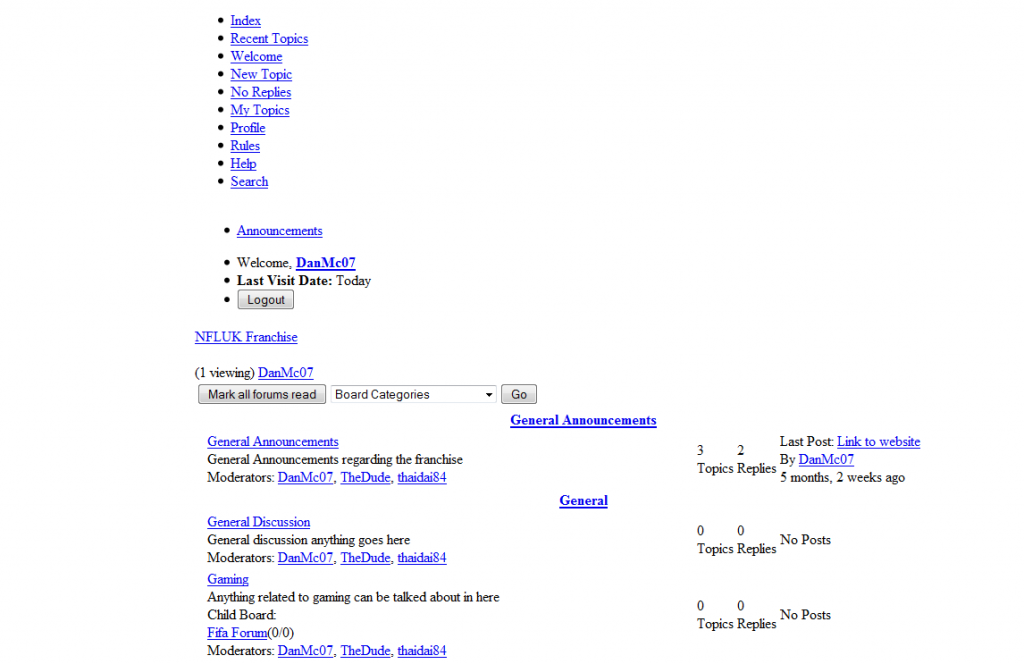
This time I went ahead and installed it and my forum would look like this...


As you can see... When I click on the forum link on my forum my website looks like the above... It removes my template from my forum and website...

I tried removing the Kunena' jos_ entries in phpmyadmin after an uninstall but that didn't make a difference.

Please Log in or Create an account to join the conversation.

More
16 years 4 months ago #52636 by @quila
Replied by @quila on topic Re: Kunena forum look help
Hi danmc,

check the option "Use Joomla Style" in Kunena Configuration, should be set to "No".

Also try to disable any SEF/SEO component you are using.

Regards

Please Log in or Create an account to join the conversation.

Time to create page: 0.111 seconds