


- Posts: 7
- Thank you received: 0
Kunena 7.0.2 Released
The Kunena team has announce the arrival of Kunena 7.0.2 [K 7.0.2] in stable which is now available for download as a native Joomla extension for J! 5.3.x/5.4.x/6.0.x. This version addresses most of the issues that were discovered in K 6.2 / K 6.3 / K 6.4 and issues discovered during the last development stages of K 7.0
Solved Kunena 6.0.2 all emoticons not working
3 years 6 months ago - 3 years 6 months ago #224570
by erikb
Kunena 6.0.2 all emoticons not working was created by erikb
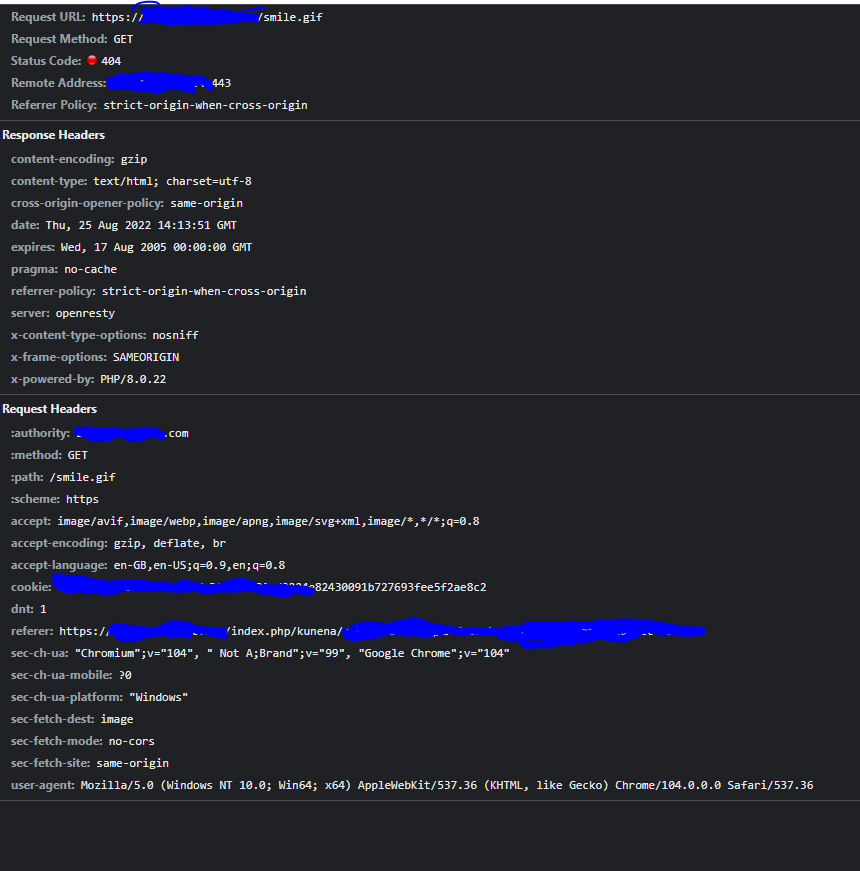
Emoticons on my site don't work with Kunena 6.0.2. They give a 404 error when looking in the developer options > network. I am using a simple HTML custom-made template for my homepage, early 2000 programming. For Kunena I am using the default Aurelia template. This is how it looks. It seems to be accessing the emoticons on the root of my custom-made template and I guess that is the problem.

Last edit: 3 years 6 months ago by erikb.
Please Log in or Create an account to join the conversation.


3 years 6 months ago #224574
by rich
Important! Always create a backup before you make any changes to your website!
Replied by rich on topic Kunena 6.0.2 all emoticons not working
You should also see the path to the folder when you hover your mouse over it. Check this folder to see if the smilies are there.They give a 404 error when looking in the developer options > network.
Important! Always create a backup before you make any changes to your website!
Please Log in or Create an account to join the conversation.
3 years 6 months ago #224575
by erikb
Replied by erikb on topic Kunena 6.0.2 all emoticons not working
They are not. I thought Kunena comes with some preinstalled/ in the correct directory. As far as I see it wants in the root of my media folder. the path is 't want to clutter my root folder with a lot of smilies?
Please Log in or Create an account to join the conversation.
3 years 6 months ago #224576
by rich
Important! Always create a backup before you make any changes to your website!
Replied by rich on topic Kunena 6.0.2 all emoticons not working
In the case of a migration, the smilies are taken over from K 5.1 or K 5.2 and in the case of a new installation of Kunena, one must install the sample data in order to obtain the smilies.
docs.kunena.org/en/basics/installation/installation-k6-0
docs.kunena.org/en/basics/upgrade/upgrade-k6-0
docs.kunena.org/en/basics/installation/installation-k6-0
docs.kunena.org/en/basics/upgrade/upgrade-k6-0
Important! Always create a backup before you make any changes to your website!
Please Log in or Create an account to join the conversation.
3 years 6 months ago #224577
by erikb
Replied by erikb on topic Kunena 6.0.2 all emoticons not working
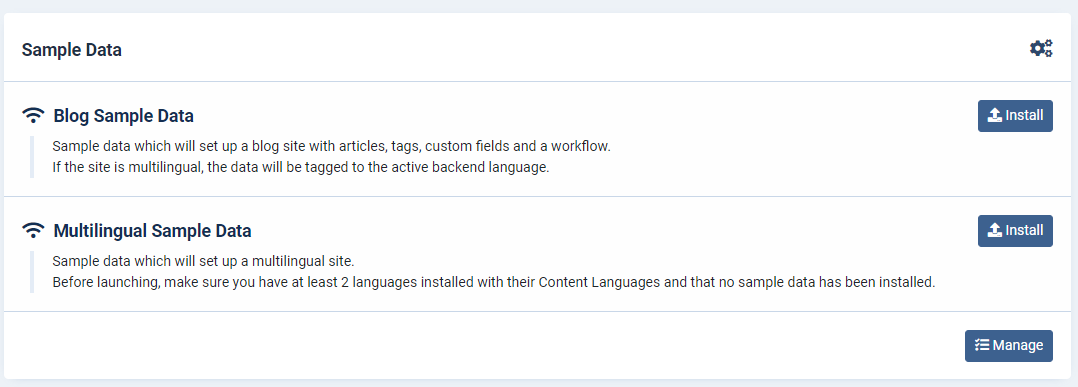
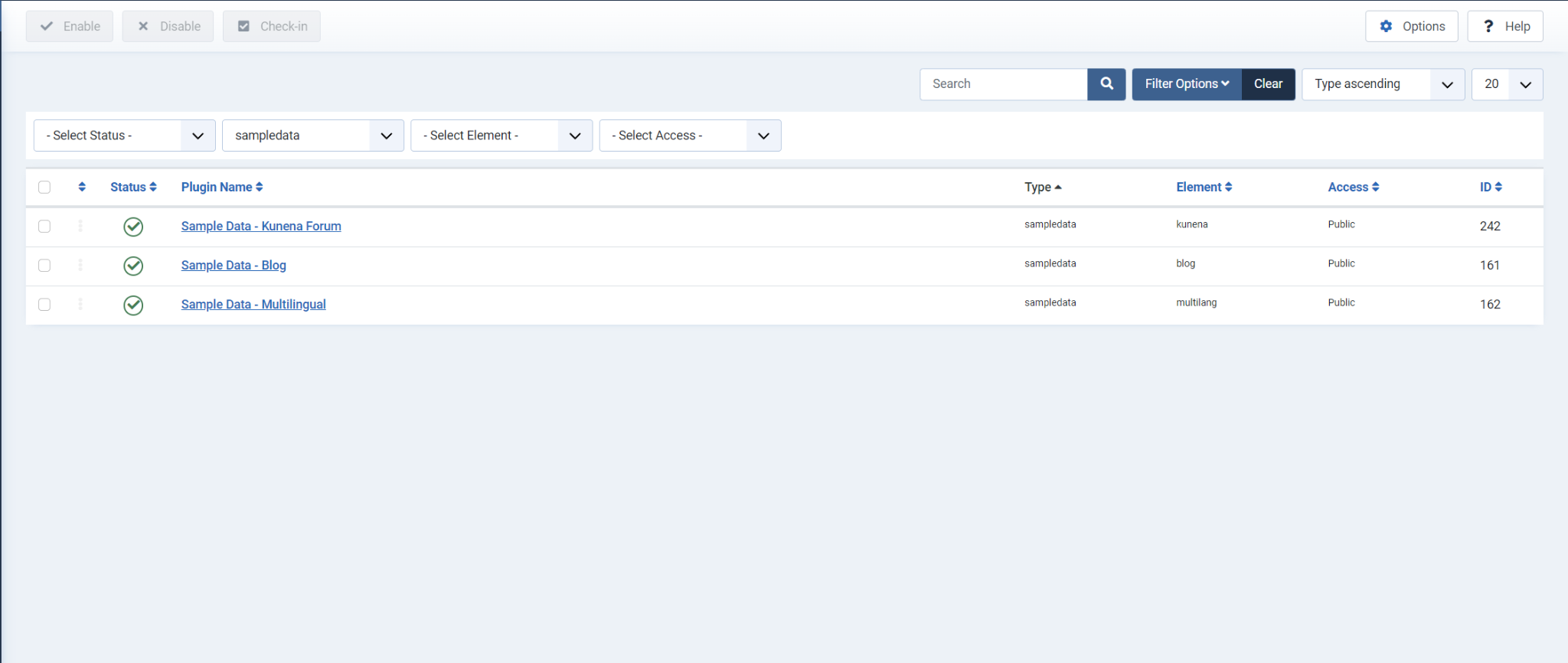
Thank you, didn't see that, but I don't have the Kunena Sample Data option listed. Uner manage it's enabled.
Please Log in or Create an account to join the conversation.
3 years 6 months ago #224707
by rich
Important! Always create a backup before you make any changes to your website!
Replied by rich on topic Kunena 6.0.2 all emoticons not working
This is just the plugin so you can install the sample data. Here you can see how to install them:
docs.kunena.org/en/basics/installation/i...#install-sample-data
Important! Always create a backup before you make any changes to your website!
Please Log in or Create an account to join the conversation.
Time to create page: 0.301 seconds