
Kunena 7.0.9 & Kunena 6.4.14 – Security Updates Released
The Kunena team has announce the arrival of Kunena 7.0.9 [K 7.0.9] in stable which is now available for download as a native Joomla extension for J! 5.4.x/6.0.x./6.1.x. This version addresses most of the issues that were discovered in K 6.2 / K 6.3 / K 6.4 and issues discovered during the last development stages of K 7.0
Before posting in this category, please read sticky topics and, as general background,
My Joomla site template makes a mess of Kunena
.
If you have questions about third-party templates, please use the User-written Templates category or contact the author directly. This category should only be used for questions about templates developed and supported by the Kunena project.
If you have questions about third-party templates, please use the User-written Templates category or contact the author directly. This category should only be used for questions about templates developed and supported by the Kunena project.
Question K 1.7 Blending option


15 years 1 month ago - 15 years 1 month ago #105700
by Shimei
K 1.7 Blending option was created by Shimei
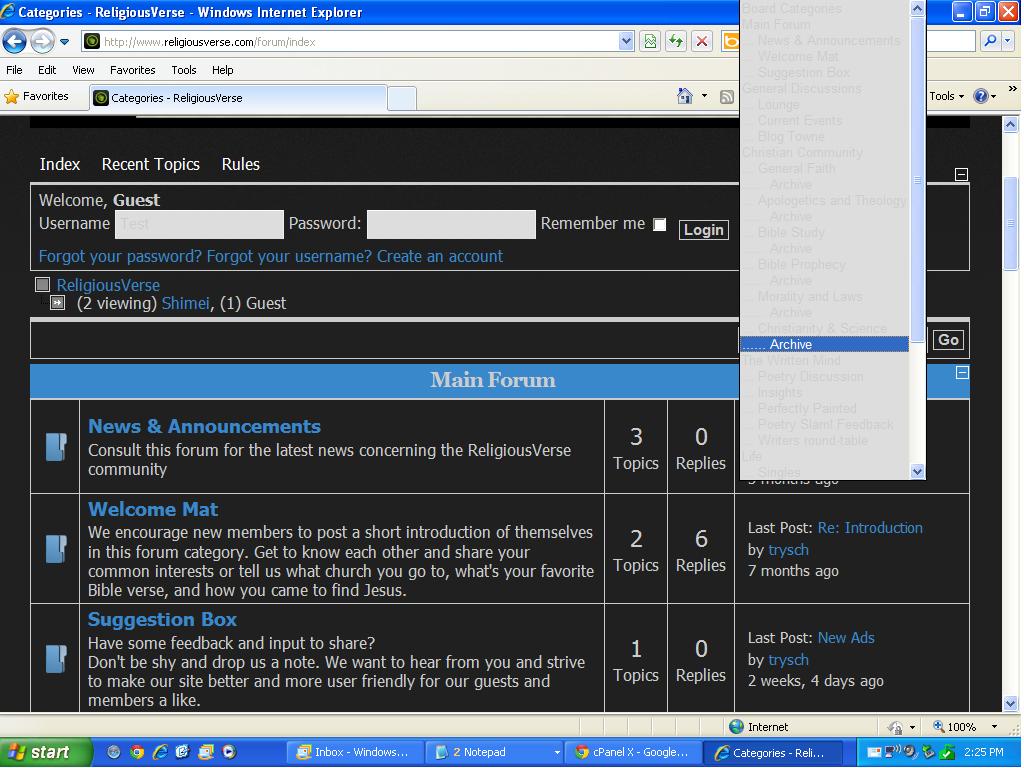
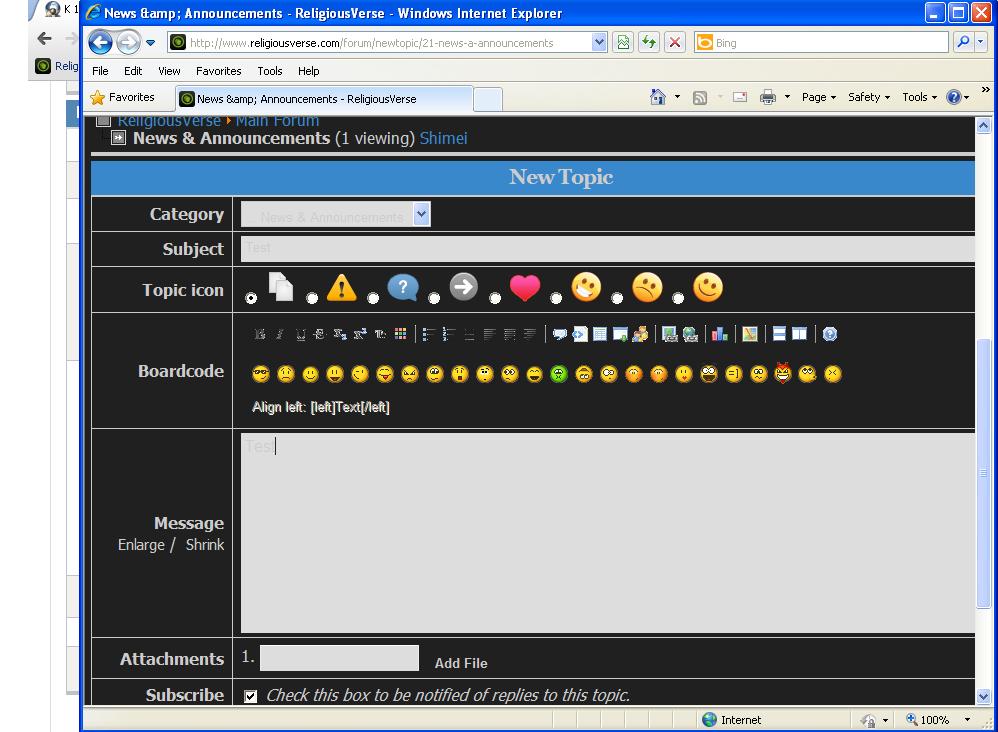
Could someone please help in resolving this in IE 8: the drop down menu font, subject field, input message box, and drop down are hardly visible. I was able to fix the input fields for the user name and password, however, the rest I need assistance for, your help is appreciated and thanks!
Last edit: 15 years 1 month ago by Shimei.
Please Log in or Create an account to join the conversation.


15 years 1 month ago - 15 years 1 month ago #105733
by 810
Replied by 810 on topic Re: K 1.7 Blending option
hi,
enable kunena debug
edit kunena.skinner.css delete line 128
#Kunena textarea, #Kunena select, #Kunena select:focus, #Kunena select:hover
color: inherit;
regards 810
enable kunena debug
edit kunena.skinner.css delete line 128
#Kunena textarea, #Kunena select, #Kunena select:focus, #Kunena select:hover
color: inherit;
regards 810
Last edit: 15 years 1 month ago by 810.
Please Log in or Create an account to join the conversation.
15 years 1 month ago #105735
by Shimei
Replied by Shimei on topic Re: K 1.7 Blending option
Hi 810,
That worked for everything except the subject field when making a post.
That worked for everything except the subject field when making a post.
Please Log in or Create an account to join the conversation.
15 years 1 month ago #105736
by 810
Replied by 810 on topic Re: K 1.7 Blending option
remove line 373
#Kunena #kpost-message .postinput,
#Kunena #kpost-message .postinput:hover,
#Kunena #kpost-message .postinput:focus,
#Kunena #kpostmessage tr.krow2 td.kcol-ktopicicons td
color: inherit;
regards 810
#Kunena #kpost-message .postinput,
#Kunena #kpost-message .postinput:hover,
#Kunena #kpost-message .postinput:focus,
#Kunena #kpostmessage tr.krow2 td.kcol-ktopicicons td
color: inherit;
regards 810
Please Log in or Create an account to join the conversation.
15 years 1 month ago - 15 years 1 month ago #105737
by Shimei
Replied by Shimei on topic Re: K 1.7 Blending option
Ok, that works, until I set debug mode to no. When I do the changes act as though they are non existent. If I am supposed to leave it set to yes, everything is fine except there's an error that says: Notice: Undefined index: catid in modules/mod_adsense_kunena/mod_adsense_kunena.php on line 24
Last edit: 15 years 1 month ago by Shimei.
Please Log in or Create an account to join the conversation.
15 years 1 month ago #105738
by 810
Replied by 810 on topic Re: K 1.7 Blending option
if you want turn debug off. then you must edit the kunena.skinner-min.css and and delete the 2 things, by searching on the file.
The following user(s) said Thank You: Shimei
Please Log in or Create an account to join the conversation.
Time to create page: 0.131 seconds