


- Posts: 29
- Thank you received: 1
Kunena 7.0.5 & Kunena 6.4.11 – Security Updates Released
The Kunena team has announce the arrival of Kunena 7.0.5 [K 7.0.5] in stable which is now available for download as a native Joomla extension for J! 5.4.x/6.0.x. This version addresses most of the issues that were discovered in K 6.2 / K 6.3 / K 6.4 and issues discovered during the last development stages of K 7.0.
The Kunena team is also pleased to announce the eleventh version of Kunena 6.4, a native Joomla extension for Joomla! 5.0, 5.1, 5.2, 5.3, 5.4 and 6.0.
Topics that are moved into this category are generally considered to be closed. Users may want to add additional information but these topics should not be resurrected in order to discuss new problems or unrelated matters.
Question Photo Resizing for "All" Posting Methods
15 years 3 months ago #86261
by Banditz71
Photo Resizing for "All" Posting Methods was created by Banditz71
I see that there is photo size control for "attached" photos.....but what about for the ones posted via the IMG button, or those via links to Photobucket, etc...? It would really be nice if ALL photos could be controlled.
And again, I apologize if this feature IS available and I just haven't found it yet.
Thanks!
Richard N Haire
Oak Ridge Boys Community
And again, I apologize if this feature IS available and I just haven't found it yet.
Thanks!
Richard N Haire
Oak Ridge Boys Community
Please Log in or Create an account to join the conversation.


15 years 3 months ago - 15 years 3 months ago #86280
by sozzled
Blue Eagle vs. Crypsis reference guide
Read my blog and

Replied by sozzled on topic Re: Photo Resizing for "All" Posting Methods
Image resizing occurs for any image. If you use the "Img" tag, then your images will be resized, irrespective of the source.  Please let us know if image resizing is not automatically working this way for you.
Please let us know if image resizing is not automatically working this way for you. Blue Eagle vs. Crypsis reference guide
Read my blog and
Last edit: 15 years 3 months ago by sozzled.
Please Log in or Create an account to join the conversation.
15 years 3 months ago #86285
by Banditz71
Replied by Banditz71 on topic Re: Photo Resizing for "All" Posting Methods
Regarding "attached" photos, we see the settings option for setting the max size of these (works great).....however, we don't see any option for controlling the size of any other type pics (IMG tag or inline pics such as links to Photobucket, Tinypic, etc...).....it "does" appear that these other types "are" being resized to a max of 800px....but we'd prefer something smaller....is there a setting for this? We have the max size for attached photos set to 500 x 500 .
Please Log in or Create an account to join the conversation.
15 years 3 months ago #86295
by sozzled
Blue Eagle vs. Crypsis reference guide
Read my blog and
Replied by sozzled on topic Re: Photo Resizing for "All" Posting Methods
The maximum size of an automatically-resized image is "however big your forum can display such a picture". At least, that's what I think is the answer :dry: . How big is your forum message display area (in pixels, leaving out the part that shows the user profile and avatar image)? That's the actual determining factor. If your message display (leaving out the user profile area) is 800 px, then your images will be resized down to that value as a maximum. Have I correctly understood your question?
Blue Eagle vs. Crypsis reference guide
Read my blog and
Please Log in or Create an account to join the conversation.
15 years 3 months ago #86298
by Banditz71
Replied by Banditz71 on topic Re: Photo Resizing for "All" Posting Methods
Yeah, I think you've understood my question.....but I can't believe that's how it works (but not questioning you, of course)......we don't want photos taking up the "entire" space (not sure how large our message display area is...how can I find that out?)....even though I've noticed, on the few pics that have been resized down to a max of 800px, there is still room to the right prior to reaching the user profile / avatar area. So you're basically saying there is no specific size control of photos other than the ones uploaded as attachments, that correct?
Our previous board had control of "inline" photos (Photobucket, etc...links) but not attachments....now it appears we have the opposite situation.....it would really be nice to have total control of ALL photos posted.
Thanks!
Our previous board had control of "inline" photos (Photobucket, etc...links) but not attachments....now it appears we have the opposite situation.....it would really be nice to have total control of ALL photos posted.
Thanks!
Please Log in or Create an account to join the conversation.
15 years 3 months ago - 15 years 3 months ago #86301
by sozzled
In effect, I am saying that the image display size is dependent on your site template (how much room you have "allowed" for your component display). All images whether you uploaded them to your forum or whether they exist on the internet, will be resized.
For example, see this image

Now compare that image with one I have uploaded
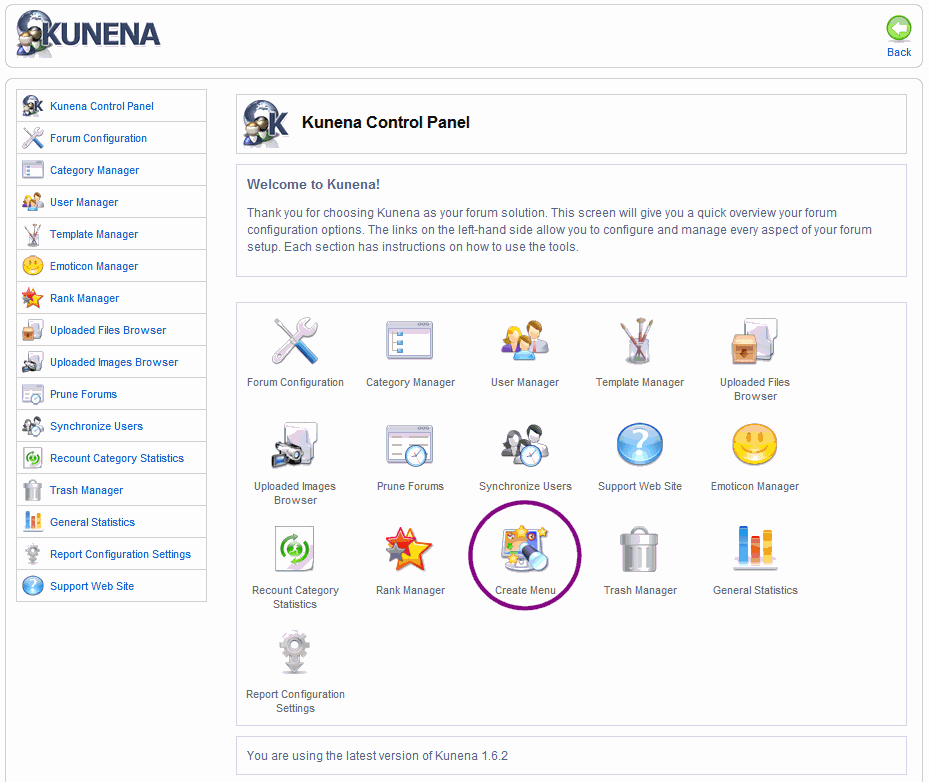
Both images are automatically resized. What was your question again?
Blue Eagle vs. Crypsis reference guide
Read my blog and
Replied by sozzled on topic Re: Photo Resizing for "All" Posting Methods
No, that's not what I am saying (or that I thought I wrote) at all.Banditz71 wrote: So you're basically saying there is no specific size control of photos other than the ones uploaded as attachments, that correct?
In effect, I am saying that the image display size is dependent on your site template (how much room you have "allowed" for your component display). All images whether you uploaded them to your forum or whether they exist on the internet, will be resized.
For example, see this image
Now compare that image with one I have uploaded
Both images are automatically resized. What was your question again?
Blue Eagle vs. Crypsis reference guide
Read my blog and
Last edit: 15 years 3 months ago by sozzled.
Please Log in or Create an account to join the conversation.
Time to create page: 0.240 seconds